Direct answer: Choose Webflow for content and marketing sites, Bubble for web apps with real data and business logic, and FlutterFlow only for native mobile apps backed by a database you control. They aren’t interchangeable, so the question that separates them is what you can still take with you if you leave.
Most “best no-code platform” comparisons line these three tools up on one feature grid and crown a winner. The grid hides the useful fact: the tools solve different problems, bill in different units, and fail in different ways.
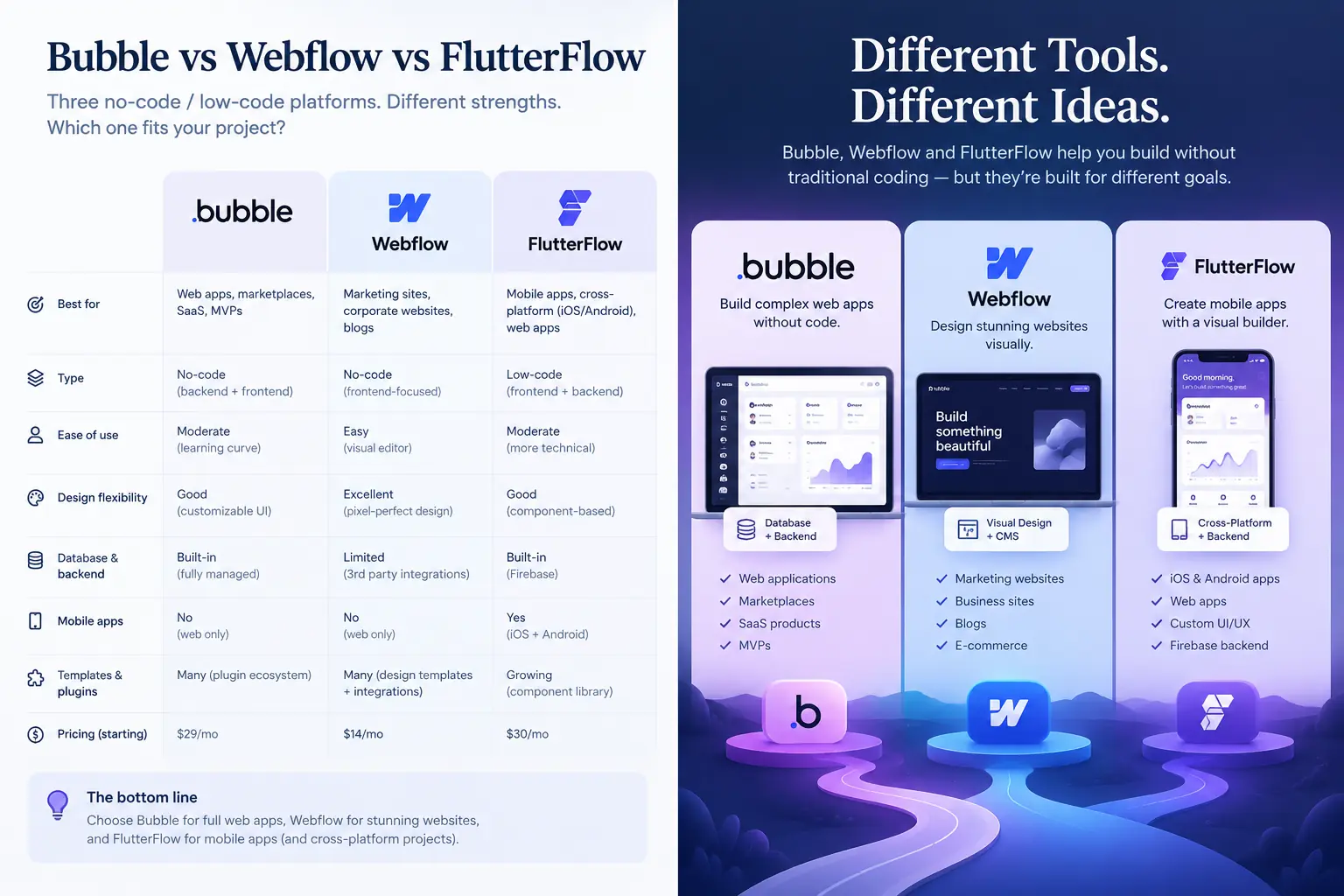
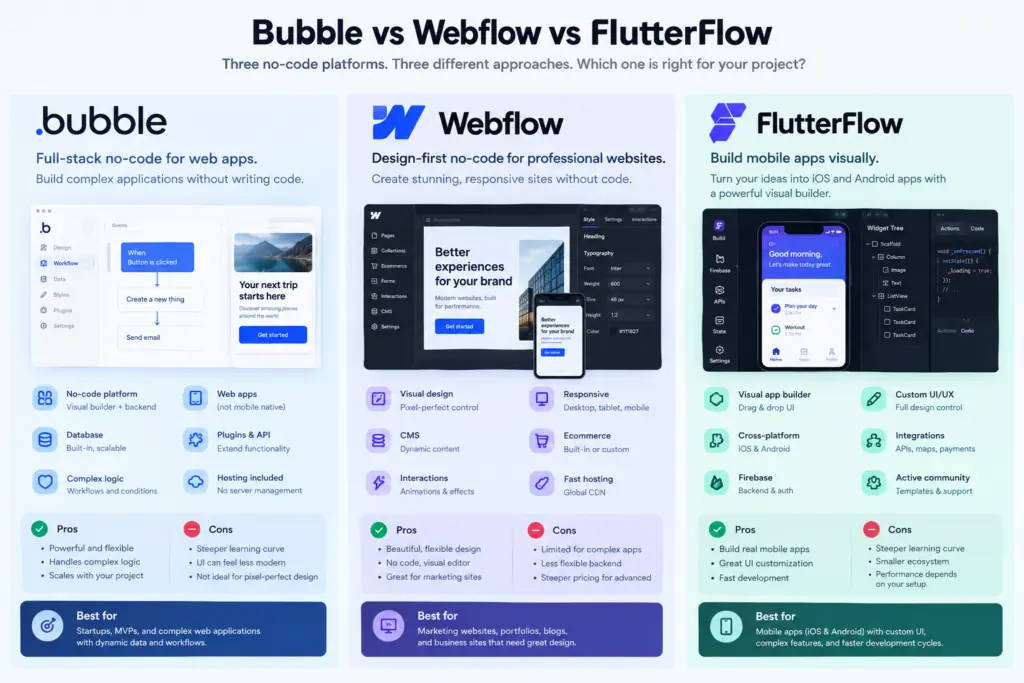
Webflow is a visual website builder with a hosted CMS. Bubble is a full-stack web app builder with its own database, workflows, and hosting. FlutterFlow is a visual editor that generates Flutter (Dart) code for iOS, Android, and web, and it doesn’t ship with a database. lowcode
Pick the wrong category and no plan-tier optimization will rescue the project. Pick the right one and the remaining decisions are about money and exits.
I did not build the same app on all three platforms. Everything below comes from vendor documentation, pricing published as of 23 October 2026, and third-party reports. I flag which is which, because the evidence is uneven.
What each platform bills you for
The three tools charge for three different things, which is why entry prices mislead.
Webflow bills per published site, plus separate Workspace seats for the people editing. On May 13, 2026, Webflow folded its old CMS and Business plans into a single Premium plan at $25/month billed yearly or $39 monthly, raised CMS capacity from 2,000 to 20,000 items and 20 to 40 Collections, and removed the CMS-item add-ons. Its Basic plan, with no CMS, is $15 yearly or $25 monthly. A newer Team tier is reported at $2,500 a month for teams that have outgrown self-serve. webflowwebnomads
Bubble bills on consumption. Web plans are reported at $29 (Starter), $119 (Growth), and $349 (Team) on annual billing, or $32, $134, and $399 monthly, with 175,000, 250,000, and 500,000 Workload Units. Every database search, workflow step, and API call consumes those units, and overages cost $0.30 per 1,000 with no maximum cap. ziterapidevelopers
FlutterFlow bills on editor seats. The plans are Free, Basic ($39), Growth ($80 for the first seat), Business ($150 for the first seat), and Enterprise. Annual billing brings Basic to $29.25 a month. Many pages still list $30/$50/$70 prices because the legacy Standard, Pro, and Teams plans were retired in August 2025. If a comparison quotes those numbers, it’s stale. FlutterFlow Pricing Plans 2026: Hidden Costs +2
| Platform | What scales your bill | Entry paid plans (annual/monthly) | What you’ll pay on top |
|---|---|---|---|
| Webflow | Published sites + editor seats | Basic $15 / $25; Premium $25 / $39 | Workspace seats; Team plan ~$2,500 |
| Bubble | Workload Units consumed | Starter $29 / $32; Growth $119 / $134; Team $349 / $399 | $0.30 per 1,000 WU over the allowance |
| FlutterFlow | Editor seats | Basic $29.25 / $39; Growth ~$60 / $80; Business ~$112.50 / $150 (first seat) | A separate backend you provision yourself |
Three calculations that change the buying decision
1. Annual commitment is worth very different amounts. Using the figures above, a year on monthly billing versus annual billing works out like this:
- Webflow Premium: $468 vs $300, a saving of $168 (36%).
- FlutterFlow Basic: $468 vs $351, a saving of $117 (25%).
- Bubble Growth: $1,608 vs $1,428, a saving of $180 (11%).
The practical rule is to stay on monthly billing on Bubble while you validate, since you give up the least. Commit annually on Webflow once the site is live.
2. Bubble’s Team tier is not a capacity upgrade. Take Growth ($119, 250K WU) and Team ($349, 500K WU) at any usage above 500K. Growth plus overage costs $119 + $0.30 × (usage − 250K)/1,000. Team costs $349 + $0.30 × (usage − 500K)/1,000. Subtract, and the gap is a constant $155 a month, or $1,860 a year, in Growth’s favor. For example, at 500K WU, Growth costs $119 + $75 = $194, against $349 for Team.
What Team buys is seats and governance: reported at five editors against Growth’s two. Buy it for the people, not for the workload. One caveat is that Bubble also sells prepaid workload add-ons, reported at $0.15 per 1,000 after a $29 bundle of 200,000 units, which would widen the gap further. ziteemergent
3. Query design can move the Workload Unit bill by an order of magnitude. One third-party pricing reference reports that a search costs 0.3 WU plus 0.015 WU per record. These are reported rates, not my measurements. A search touching 200 records costs 3.3 WU, so Growth’s 250K allowance covers about 75,800 of them. A search over 2,000 records costs 30.3 WU, which exhausts the same allowance in about 8,250 searches. That is under 280 page loads a day if each load fires one such query. A separate source independently puts complex filtered searches in the 10 to 50 WU range, so the order of magnitude holds even if the exact rates drift. checkthatemergent
How strong is this evidence?
The strongest evidence is Webflow’s own help center, which I read directly for plan limits and export behavior. The middle tier is Bubble and FlutterFlow pricing, where I couldn’t retrieve either vendor’s own pricing page. I relied on several independent trackers that agree with each other. The weakest tier is commentary on Flutter web behavior, which is partly dated and partly written by competitors.
The sources also disagree in places. One guide says Webflow Premium allows 100 collections, but Webflow’s own notice says 40. I used the vendor figure.
The exit-cost map
Features are visible on day one. Exit costs only show up when the product succeeds, or the platform changes its pricing. The map below shows what leaves with you on each platform.
The mechanism behind each column is different.
Webflow gives you the front end as static files. Code export is available only on Workspace plans, and CMS, user accounts, ecommerce content, code components, and localized content are not included. Site search and forms also stop working on exported sites. In practice, you leave with a good-looking shell and have to rebuild the content layer and the form handling. webflow
FlutterFlow is the only one of the three whose exit is realistic. It exports genuine Dart/Flutter source from the Basic tier, and because the backend is something you provision yourself (Firebase or Supabase are the common choices), your data never lived inside the tool. The cost is front-loaded: you pay a second vendor and take on backend work on day one. rapidevelopersfrontdeskreview
Bubble is the lock-in case. Competitor and review sources describe it as having no code export, and FlutterFlow’s own marketing makes the same point. That is partisan evidence, so treat it as a reason to check Bubble’s current documentation, not as a verdict. I could not confirm how a Bubble database leaves the platform. Check that before you build, not after. rapideveloperscheckthat
Where each one breaks
Webflow breaks when the site starts behaving like an app. Premium tops out at 20,000 CMS items and 40 Collections, and an exported site loses its CMS. The failure pattern is a team using the CMS as the database of a product (listings, user content, inventory) and then discovering the data layer cannot leave. Keep Webflow for genuinely editorial content.
Bubble breaks quietly, through the meter. The costly mistake isn’t the plan tier; it’s unconstrained searches and an uncapped overage rate. At $0.30 per 1,000 WU, an unoptimized app doesn’t fail loudly. It sends a larger invoice. Bubble also has a mobile builder, though it was only launched in 2025, and I found conflicting figures for mobile and web-plus-mobile pricing, so check the live page. goodspeed
FlutterFlow breaks on the web. Several reports say Flutter web has inconsistent rendering performance, difficult search indexing because content is drawn on a canvas, and limited CSS control. Others note heavy initial payloads and no server-side rendering. This is my thinnest evidence: some of it is competitor-authored and some is dated, and I did not measure a FlutterFlow site myself. Still, the direction is consistent across sources. If organic search drives your acquisition, don’t build the public web surface in FlutterFlow. devwalturn
Decision rules that should change what you do
| If your product is… | Choose | The cost you’re accepting |
|---|---|---|
| A marketing site, blog or documentation hub | Webflow | Seat fees; content layer doesn’t leave with you |
| A web SaaS, marketplace or internal tool with user data | Bubble | Usage-metered bills; exit means a rebuild |
| A store-listed iOS/Android app | FlutterFlow | A second vendor for the backend; a developer later |
| SEO-dependent site and an app | Webflow for the site, plus Bubble or FlutterFlow for the app | Two bills, two logins, one extra integration |
Four rules go beyond the table:
- Stay monthly on Bubble during validation. Annual billing saves only about 11% there.
- Measure before you scale on Bubble. Script your five most common user actions, run them against a test app, read the Workload Unit consumption, and multiply by expected daily sessions. If the total exceeds 250K a month on Growth, fix the queries before you buy more capacity.
- On FlutterFlow, stand up the backend first. Make the database schema yours, then treat FlutterFlow as a code generator you may eventually outgrow. Budget for a Flutter developer on the day you export.
- Never store structured product data in Webflow’s CMS. Webflow is for publishing, not data. A real database is a better home for anything you’d miss if the site disappeared.
Does lock-in decide the winner?
It decides it for Bubble, and only if the product succeeds. If your app is a throwaway validation tool, the exit cost is irrelevant, and Bubble’s speed to a working product wins. If the app becomes the business, you’ll pay the lock-in through a rebuild of logic that currently lives inside the platform. I judge that for a product you expect to run for years, the rebuild cost will exceed the platform fees you saved. That judgment is an inference. I found no published dataset of migration costs off Bubble, FlutterFlow, or Webflow. The data that would settle it is paired before-and-after migration records (hours, cost, downtime) from teams that left. Until someone publishes those, treat exit cost as a risk to price, not a number to look up.
How this was researched
I reviewed Webflow’s help-center pricing notice and code-export documentation, and cross-checked Bubble and FlutterFlow pricing across several independent trackers. I did no hands-on testing, and every calculation uses the stated inputs. Re-check pricing before you buy: all three vendors have changed plans in the past 18 months.
Sources
- Webflow help center, Updated pricing and simplified plans for May 2026
- Webflow help center, How do I export my Webflow site code?
- Webflow help center, Code export
- Bubble review (Zite)
- Bubble review (Rapidevelopers)
- Bubble pricing 2026 (Emergent)
- Bubble pricing reference (CheckThat)
- Bubble.io review (Goodspeed)
- Webflow pricing 2026 (Webnomads)
- FlutterFlow pricing plans (LowCode Agency)
- FlutterFlow pricing (Emergent)
- FlutterFlow review (Rapidevelopers)
- FlutterFlow pricing record (FrontDesk Review)
- FlutterFlow alternatives for web (DEV Community)
- Flutter web: areas where it can improve (Walturn)