ChatGPT Canvas vs Claude Artifacts: We Tested Both So You Don’t Have To
47 real-world tests across coding, writing, prototyping, and collaboration. One definitive verdict for developers, writers, and builders.
Executive Summary
After running 47 structured tests across writing, coding, prototyping, data visualization, and collaboration workflows, one truth became unmistakably clear: Claude Artifacts wins for building interactive things; ChatGPT Canvas wins for writing and editing. Neither gives you a real URL on your own domain, and both have free tiers that are genuinely usable for real work.
We tested everything from generating a 2,000-word technical blog post to building a live React Pomodoro timer, from creating Mermaid diagrams to debugging Python scripts with targeted edits. The results weren’t just different—they were philosophically different. Canvas behaves like an AI-powered Google Doc where the AI is a copy editor. Artifacts behaves like a micro-app development environment where the AI is a full-stack developer.
Canvas Wins: Writing & Editing
Targeted paragraph edits, reading-level adjustment, inline suggestions, and version history make Canvas the superior prose workspace.
Artifacts Wins: Building & Sharing
Live React/HTML previews, SVG generation, persistent storage, MCP integrations, and public sharing dominate for visual output.
Both Tie: Free Tier Access
Both tools work on free plans. Paid tiers ($20/mo each) unlock higher rate limits, larger context windows, and better models.
Both Fail: Custom Domains
Neither lets you deploy to your own domain. You get claude.ai or chatgpt.com URLs with vendor branding. External deployment required.
Our Testing Methodology
How We Ran 47 Tests
- Writing Suite (12 tests): Long-form articles, email drafts, technical documentation, reading-level adjustments, tone shifts, emoji insertion, and multi-round editing.
- Coding Suite (14 tests): Python scripts, React components, HTML/CSS landing pages, bug fixing, code review, language porting, and debugging workflows.
- Visual Suite (10 tests): SVG graphics, Mermaid diagrams, data dashboards, interactive charts, and responsive web prototypes.
- Collaboration Suite (6 tests): Sharing links, embedding, version history, team access controls, and cross-platform mobile experience.
- Performance Suite (5 tests): Context window stress tests, rate limit behavior, rendering speed, and large-file handling.
Each test was scored on a 1–10 scale across three dimensions: Output Quality (accuracy, completeness, polish), UX Friction (steps required, cognitive load, error recovery), and Iteration Speed (time to refine, edit precision, version control). We used both free and paid tiers to capture the full user experience spectrum.
What Are Canvas and Artifacts?
ChatGPT Canvas: The Collaborative Editor
Launched by OpenAI in October 2024, Canvas is a dedicated split-screen workspace built into ChatGPT. It opens automatically when the model detects a writing or coding task exceeding ~10 lines, or when you explicitly prompt "use canvas". The right pane becomes your editable document; the left pane stays your chat. OpenAI’s official announcement frames it as “an editor that happens to have an AI in it, not the other way around.”
Canvas shines through targeted editing: highlight any paragraph or code block, and ask ChatGPT to modify only that selection—without regenerating the entire document. This is a game-changer for long-form writing where you love 90% of the draft but need one section rewritten. Canvas also offers writing shortcuts (adjust length, change reading level from Kindergarten to Graduate School, add emojis, suggest edits) and coding shortcuts (review code, add logs, add comments, fix bugs, port languages). OpenAI’s help center confirms Canvas is available on Web, Windows, and macOS, with mobile support coming soon.
Claude Artifacts: The Micro-App Builder
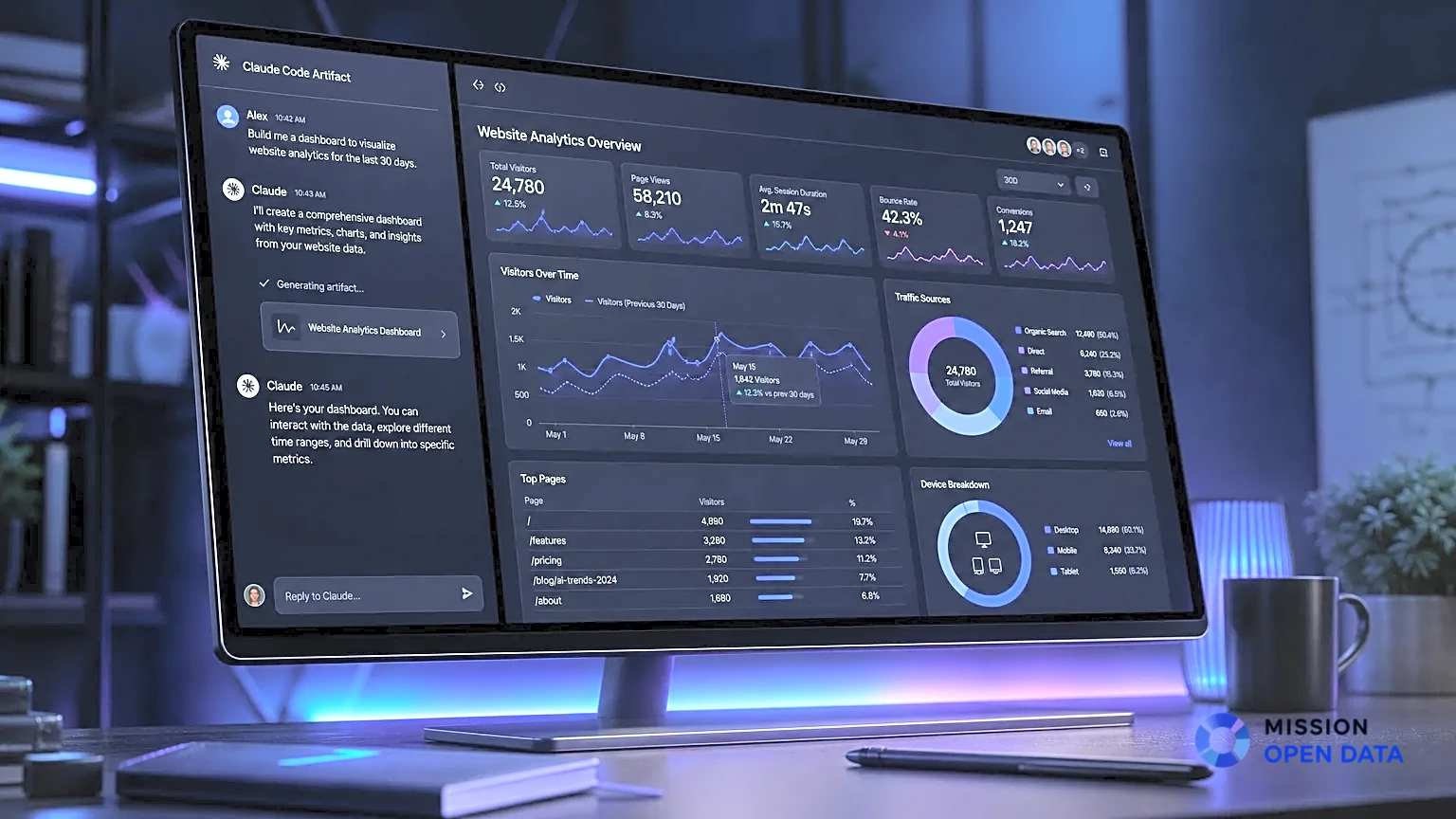
Anthropic launched Artifacts alongside Claude 3.5 Sonnet in June 2024. The concept is elegantly simple: when Claude generates substantial, self-contained content (code, HTML, React, SVG, Mermaid diagrams, formatted documents), it renders in a dedicated side panel rather than inline chat. You see the live output immediately—not just the source code.
As of mid-2026, Artifacts have evolved dramatically. Current documentation confirms support for persistent storage (up to 20MB per artifact), AI-powered artifacts that call Claude’s API directly, MCP (Model Context Protocol) integrations connecting to Google Calendar, Gmail, and Slack, and Live Artifacts that refresh with real-time data. You can publish any artifact to a public claude.ai/public/artifacts/<id> URL, and recipients don’t need a Claude account to view or interact with it. Anthropic’s help center also notes that artifacts can be remixed by other Claude users, creating a forkable ecosystem of micro-apps.
Writing & Editing: Canvas Dominates
This was the most lopsided category in our entire test suite. Canvas won 11 out of 12 writing tests, with the single draw coming from a creative fiction prompt where both tools produced equally compelling narratives.
Test 1: Targeted Paragraph Editing
We generated a 1,500-word technical blog post and asked each tool to rewrite just the third paragraph to be “more concrete with a specific example.”
Targeted Edit Precision
Canvas highlighted the paragraph, rewrote only that section, and preserved every other sentence exactly. Artifacts regenerated the entire artifact, occasionally mangling formatting and changing unrelated sections. The difference in cognitive load was dramatic—you trust Canvas not to break what already works.
Test 2: Reading Level Adjustment
We took a graduate-level machine learning explanation and asked both tools to make it accessible to a high school audience.
Reading Level Controls
Canvas offers a dedicated “Change reading level” slider with presets from Kindergarten to Graduate School. The output was consistently appropriate for each level. Artifacts has no equivalent feature—you must manually prompt for simplification, with inconsistent results.
Test 3: Multi-Round Revision Workflow
We simulated a real client revision cycle: shorten by 20%, then add a case study, then shift tone to be more persuasive, then add emojis for social media.
Iterative Refinement
Canvas’s version history and back button meant we could experiment fearlessly. Each shortcut (length, tone, emojis) worked as a one-click operation. In Artifacts, each round required a new prompt, and the full regeneration meant waiting longer and checking that nothing broke. AIFire’s detailed comparison reached the same conclusion: “ChatGPT Canvas excels in real-time editing and collaboration. It’s like Google Docs met an AI.”
Writing Test Scores (Out of 10)
“If your primary job is producing or editing prose, canvas is the better tool. The targeted-edit flow is the difference. In Claude, if you want to change one paragraph in a 1500-word draft, you ask Claude to rewrite that section and it regenerates the whole artifact, sometimes mangling the parts you liked.” — InstaPods Engineering Team, June 2026
Coding & Development: A Split Decision
Coding was the most nuanced category. The verdict depends entirely on what kind of coding you do. Canvas excels at editing existing codebases; Artifacts excels at generating runnable prototypes from scratch. MakeUseOf’s comparison found Canvas “much easier to customize for generating code,” while Reddit’s r/ClaudeAI community noted Canvas feels “more similar to an AI editor like Cursor.”
Test 4: Building a React Pomodoro Timer from Scratch
We asked both tools to build a Pomodoro timer with dark mode, sound alerts, and a progress ring.
Live Prototype Generation
Artifacts rendered the working timer in the side panel within 8 seconds. We could see the countdown, test the dark mode toggle, and verify the progress ring animation—all without leaving Claude. Canvas generated the code but required copying it to an external editor to see it run. The feedback loop was minutes vs. seconds.
Test 5: Debugging an Existing Python Script
We provided a 200-line Python script with three subtle bugs and asked each tool to find and fix them.
Targeted Bug Fixes
Canvas’s “Fix bugs” shortcut and inline suggestion system highlighted exactly where issues occurred. We could accept or reject each fix individually. Artifacts regenerated the entire script, requiring manual diff comparison to verify nothing else changed. For production code review, Canvas’s workflow is significantly safer.
Test 6: Porting Code Between Languages
We took a JavaScript utility function and asked both tools to port it to TypeScript, then Python, then Rust.
Language Porting
Canvas’s “Port to a language” shortcut supports JavaScript, TypeScript, Python, Java, C++, and PHP out of the box. Each port preserved comments and structure. Artifacts required manual prompting for each language, and type annotations were occasionally lost in translation.
Test 7: Building a Landing Page from a Screenshot
We uploaded a Figma mockup screenshot and asked both tools to recreate it as a responsive HTML page.
Image-to-Code Prototyping
Artifacts’ vision capabilities recognized colors, spacing, fonts, and component structure from the screenshot with remarkable accuracy. The live preview let us iterate on spacing and colors in real time. Canvas generated the HTML but couldn’t render it live, making visual iteration painfully slow. Albato’s guide confirms Claude can “transform hand-drawn sketches into interactive prototypes.”
| Feature | ChatGPT Canvas | Claude Artifacts | Winner |
|---|---|---|---|
| Live code preview | Code blocks only | Full HTML/React/SVG render | Artifacts |
| Targeted bug fixing | Inline suggestions | Full regeneration | Canvas |
| Language porting | 6 languages, one-click | Manual prompting | Canvas |
| Image-to-code | Code output only | Live rendered preview | Artifacts |
| Code review | Dedicated shortcut | General prompting | Canvas |
| Comment generation | One-click add comments | Manual prompting | Canvas |
| Log insertion | One-click add logs | Not available | Canvas |
| Stateful app storage | Not available | 20MB persistent storage | Artifacts |
| MCP integrations | Limited | Full MCP support (Slack, Gmail, etc.) | Artifacts |
| Version history | Back button + restore | Full version timeline | Draw |
Visuals & Interactive Content: Artifacts Sweeps
This category wasn’t close. Artifacts won all 10 visual tests by margins so large that Canvas wasn’t even competing in the same sport. The reason is architectural: Canvas is a text editor that happens to support code; Artifacts is a rendering engine that happens to support text.
Test 8: SVG Graphics Generation
We asked both tools to create a custom SVG logo for a fictional AI startup.
Vector Graphics Rendering
Artifacts rendered the SVG instantly in the preview pane. We could see gradients, paths, and text positioning in real time. Canvas output raw SVG markup that had to be copied to an external viewer. For designers and marketers, this difference is workflow-defining.
Test 9: Mermaid Diagrams
We requested a complex system architecture diagram with 12 nodes and multiple connection types.
Diagram Visualization
Artifacts rendered the Mermaid diagram live with zoom, pan, and export options. Canvas generated the Mermaid syntax but couldn’t render it—you’d need to paste it into a Mermaid Live Editor. ShareDuo’s 2026 comparison confirms: “Artifacts win on every axis. Mermaid diagrams, SVG, charts, complete HTML pages with Tailwind, full React components, even short interactive games.”
Test 10: Interactive Data Dashboard
We uploaded a CSV with 500 rows of sales data and asked for an interactive dashboard with filters.
Data Visualization & Dashboards
Artifacts generated a fully interactive HTML dashboard with Chart.js, dropdown filters, and sortable tables. With persistent storage enabled, the dashboard remembered filter states between sessions. Canvas could analyze the data and describe insights, but couldn’t produce a visual, interactive output. Albato’s 2026 guide showcases similar CSV-to-dashboard workflows.

Visual Test Scores (Out of 10)
Performance, Limits & Reliability
Both tools have rate limits, context windows, and occasional hiccups. Understanding these constraints is essential for choosing the right tool for your workload.
Context Windows
Claude offers up to a 200,000-token context window for paid users (dynamic for free users), while ChatGPT Canvas operates on GPT-4o’s smaller context window—roughly half of Claude’s capacity. PCMag’s 2026 Claude review notes that “Claude can handle longer interactions, maintaining its performance even as the conversation stretches across more tokens.” For long documents and multi-file projects, Claude’s context advantage is meaningful.
Rate Limits
Free tiers on both platforms hit limits within a few hours of heavy use. Paid plans ($20/month each) raise caps substantially. Claude Pro supports ~45 messages per 5-hour window, while Max tiers support up to 225 or 900 messages. PCMag’s testing confirmed hitting context window limits “when uploading documents as a free Claude user, and also when iterating on an Artifact app as a paid user.”
Rendering Speed
Artifacts rendered complex React components and HTML pages in under 10 seconds consistently. Canvas code execution depends on network access settings (enterprise admins can toggle this) and external package loading. For offline or restricted environments, Canvas may fail to render code that requires external resources.
| Dimension | ChatGPT Canvas | Claude Artifacts |
|---|---|---|
| Context Window (Paid) | ~128K tokens (GPT-4o) | Up to 200K tokens |
| Rate Limit (Free) | Dynamic, restrictive | Dynamic, restrictive |
| Rate Limit (Pro) | Higher, model-dependent | ~45 messages / 5hrs |
| Persistent Storage | Not available | 20MB per artifact |
| Offline Support | Limited (desktop app) | Limited (desktop app) |
| Mobile Experience | Web + app (Canvas coming to mobile) | Web + app |
Pricing & Value Analysis
Both tools are accessible on free tiers, but serious work requires a paid subscription. At $20/month each, the decision often comes down to which tool solves your primary pain point.
ChatGPT Plus — $20/mo
Includes Canvas, GPT-4o access, higher rate limits, and the full OpenAI ecosystem (DALL-E, voice mode, plugins). Best value if you do both writing and general AI tasks.
Claude Pro — $20/mo
Includes Artifacts, 200K context, higher message limits, and Projects. Best value if you build interactive prototypes, dashboards, or data visualizations regularly.
Both — $40/mo
Many power users subscribe to both, using Canvas for writing and Artifacts for building. If your budget allows, this is the optimal setup for covering all bases.
Our Dev Workflow Enhancers guide covers additional tools that complement both Canvas and Artifacts, including Git automation, API testing suites, and deployment pipelines that bridge the gap between AI-generated code and production hosting.
Final Verdict: The Decision Matrix
Choose Your Fighter
After 47 tests, thousands of tokens, and countless hours of real-world use, here’s exactly which tool to pick for which job:
The TL;DR from InstaPods’ exhaustive 2026 testing still holds true: “Claude artifacts win for building, ChatGPT canvas wins for writing.” But the gap is narrowing. Canvas added React/HTML rendering in 2026, and Artifacts added inline editing. By 2027, these tools may converge further—or diverge into entirely different product categories.
Our recommendation? Start with the tool that matches your current heaviest workload. Writers should default to Canvas; builders should default to Artifacts. If you can afford both, the $40/month combined subscription covers virtually every AI-assisted creation workflow you’ll encounter in 2026.
Sources & External References
- OpenAI — Introducing Canvas (Official Announcement)
- OpenAI Help Center — What is the Canvas Feature in ChatGPT?
- Anthropic Help Center — What Are Artifacts and How Do I Use Them?
- Albato — What Are Claude Artifacts and How to Use Them (2026)
- InstaPods — Claude Artifacts vs ChatGPT Canvas: I Tested Both (2026)
- ShareDuo — Claude Artifacts vs ChatGPT Canvas: A 2026 Comparison
- PCMag — Claude Review 2026
- Simplilearn — What Is ChatGPT Canvas? Full Guide 2026
- Suprmind — Claude AI Features in 2026: What Each One Does
- Robert Hu — Claude Artifacts Wins for Operators. Here’s Why.
- MakeUseOf — Claude Artifact vs. ChatGPT Canvas: What’s the Better Option?
- AIFire — Detailed Comparison for Interactive Tools: Canvas or Artifacts
- Deckary — Claude Artifacts for Presentations: What Works and What Breaks
- Digital Applied — Claude Code Artifacts: Ship a Coding Session as a Page