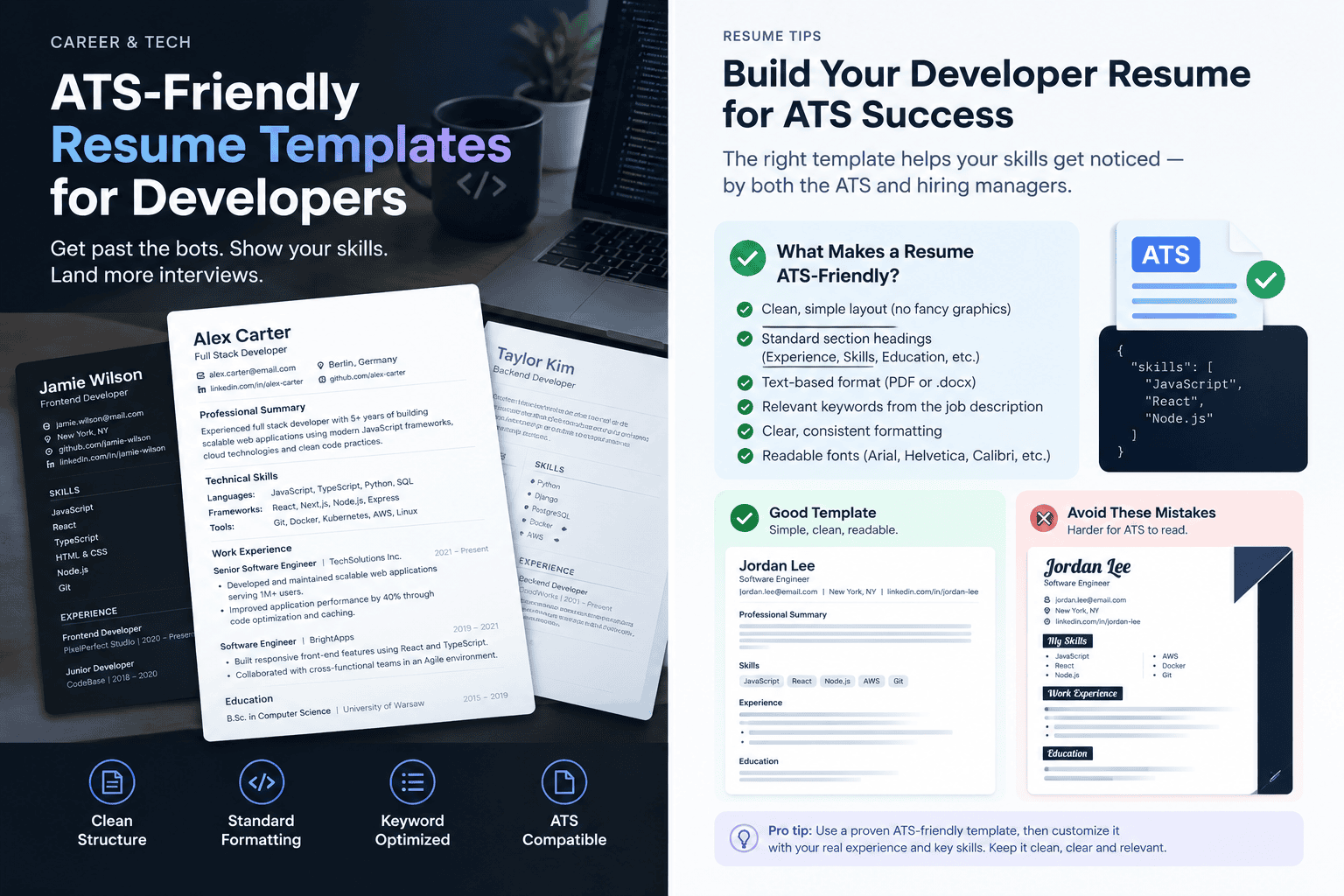
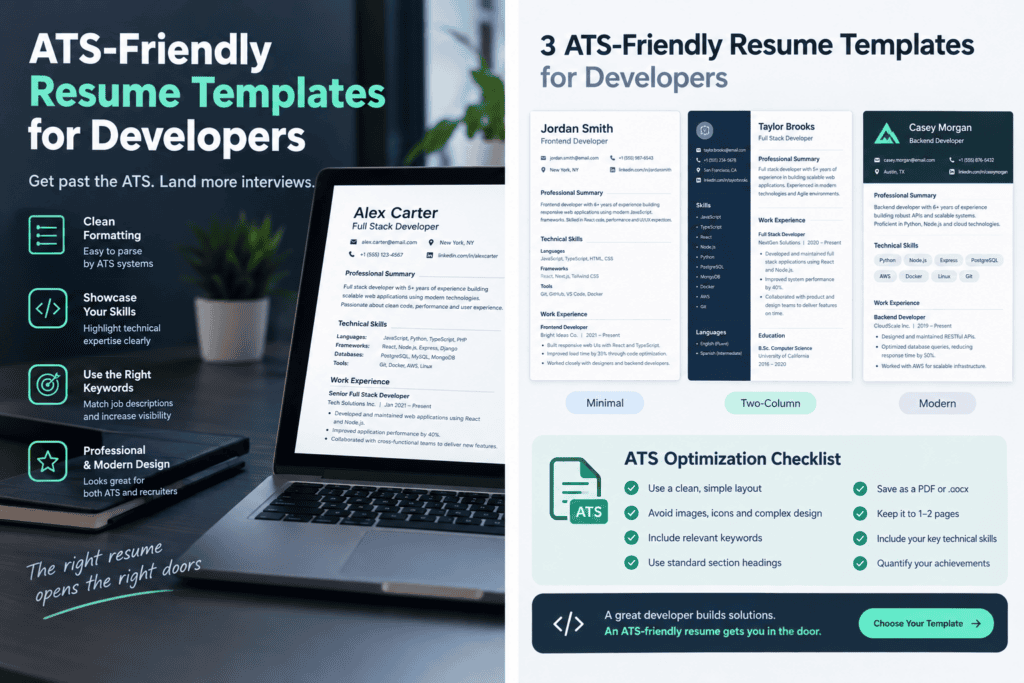
Direct answer: An ATS-friendly developer resume is a single-column PDF or DOCX with a real text layer, standard section headings, and skills written as plain text. On the major platforms, though, the template only controls how your file is parsed and read. Automatic rejection comes from how you answer the employer’s application questions, not from your layout.
The one automatic rejection Greenhouse documents is a dropdown.
Greenhouse’s help center describes a feature called Auto-Reject that uses custom application questions to screen and reject candidates based on their responses. An employer writes a question such as “Are you authorized to work in this country?”, marks one answer as disqualifying, and the system acts when you pick it. A rule can chain up to five questions together. Your resume text is not an input to that rule.
That changes what “ATS-friendly” should mean. Most template pages treat it as a property of the file: fonts, columns, margins. The documented machinery says it is mostly a property of three separate systems, and the file only touches one of them. This article separates them, ranks the evidence for each claim, and then gives you a developer-specific resume structure and a free test you can run on your own PDF.
No templates were tested for this article, and no parser was run against sample files. Where a claim comes from a vendor’s documentation it is marked as such. Where it comes from third-party guides, it is marked as reported. Where it is the author’s inference, it says so.
Three machines, not one
When people say “the ATS rejected me,” they mean one of three different things.
Machine 1, the parser, reads your file and fills a profile. Lever’s own documentation says its parser extracts information from the resume and adds it to the candidate’s profile, and that it cannot parse image files such as JPG or PNG. This is the only machine your template affects.
Machine 2, the rule engine, runs on the answers you give to application questions. In Greenhouse, it exists only where the employer has turned it on, and Greenhouse lists Auto-Reject as available on its Plus and Pro tiers. Greenhouse also states that if an Auto-Advance rule and an Auto-Reject rule both fire, the Auto-Reject rule is applied. A reported secondary account says Lever attaches comparable knockout conditions to custom form questions (Hirecarta, secondary source).
Machine 3, ranking and AI summaries, orders the recruiter’s queue. Jobscan’s Greenhouse guide, a secondary source, reports that Greenhouse’s matching feature sets the order recruiters work through applicants without advancing or rejecting anyone. ResumeAdapter’s roundup, also secondary, attributes the same statement to Greenhouse’s own support pages.
My judgment: the common advice to chase an “ATS score” mixes up machines 1 and 3, and ignores machine 2, the only one with a documented automatic rejection.
How strong is the evidence?
Pages on this topic repeat each other, so it helps to rank what stands behind each claim.
| Tier | What it is | Examples here | How to treat it |
|---|---|---|---|
| 1 | Vendor documentation | Greenhouse Application Rules; Lever “Understanding Resume Parsing” | Treat as settled for that vendor, as of the page’s date |
| 2 | Third-party summaries that point at vendor docs | Jobscan, ResumeAdapter | Useful, but check the vendor page before relying on them |
| 3 | Third-party generalizations with no named method | Most “template” pages, most “ATS score” claims | Treat as marketing until shown otherwise |
Two disagreements are worth surfacing rather than smoothing over.
First, sources differ on whether any ATS rejects on resume content alone. OneResume says the major platforms parse and rank applicants but do not auto-reject anyone and calls the oft-repeated “75% rejected” figure’s origin murky. ResumeAdapter reports an interview study in which 2 of 25 recruiters said their ATS rejected applicants on match or experience thresholds rather than knockout questions. That is a small sample and a second-hand report. The honest reading: automatic rejection on resume content is not documented for Greenhouse, it is reported as rare elsewhere, and it cannot be ruled out for every employer’s configuration.
Second, sources disagree about parser strictness by vendor. One secondary guide (ATSHack) calls Greenhouse’s parser more forgiving than Workday’s. I could not verify that against Workday’s own documentation, so treat it as unconfirmed.
What a parser does to a developer resume
Developer resumes break in ways general resume advice never mentions. The table separates what vendors document from what is only a risk worth checking. Run the test in the next section instead of trusting any row.
| Element | Failure risk | Evidence level |
|---|---|---|
| Resume saved as an image or scanned PDF | Parser gets no text | Documented by Lever: image files cannot be parsed, and scanned documents need conversion |
| Contact details placed in the page header or footer | May be skipped on extraction | Reported by a secondary source (HireFlow); author inference otherwise |
| Skills as icons, logos, or rating bars | No text, so nothing to match | Follows from the image rule above |
| Skills in a grid or table | Terms may extract in scrambled order | Reported risk; test it |
| Two-column layouts | Reading order may interleave columns | Reported by secondary sources as riskier than single-column, especially outside Greenhouse and Lever |
| GitHub and portfolio links hidden behind anchor text such as “Portfolio” | Visible text may extract without the URL | Author hypothesis; test it |
| Tech names with symbols (C++, C#, .NET, Node.js) | Tokenizers can mangle symbols in search | Author hypothesis; I found no vendor documentation either way |
| Acronym-only skills (K8s, JS) | Search on the spelled-out term may miss | Reported by one secondary source that Lever does not expand abbreviations |
| Different date formats across roles | Wrong duration calculated | Reported by a secondary source |
The practical rule that falls out: every fact a recruiter might search for should exist as plain, visible text in reading order.
The structure that survives
Skip the hunt for a prettier template. A template is a container, and what matters is what it holds. This is the structure I would use. It is editorial judgment, not a tested standard.
Order of sections
- Name and contact line: email, phone, city or region, then full URLs for GitHub and LinkedIn written out as visible text.
- Two-line summary (optional). State your stack and level plainly.
- Technical skills, as comma-separated plain text grouped by category.
- Experience, newest first.
- Projects, only if they carry weight your experience section does not.
- Education and certifications.
Headings. Use the plain words: Experience, Education, Skills, Projects. Creative headings like “My Journey” give a parser nothing to classify.
Bullets. One idea each, led by what you did, then scale, then result. Use real numbers only. If you cannot measure the outcome, describe the scope instead (the traffic, the data volume, the team size). A fabricated metric will not survive an interview.
Skills spelling. Match the job posting’s spelling. If the posting says “Kubernetes (K8s)” or “JavaScript/TypeScript,” write the form it uses. If a posting uses both forms, include both once. That is cheap insurance against the abbreviation issue, and it is inference from reported behavior, not a documented requirement.
File. PDF or DOCX, a real text layer, one column, a descriptive filename such as Firstname-Lastname-Resume.pdf. Lever’s documentation lists both PDF and Word among parseable types, and a third-party roundup (HireFlow) reports Greenhouse also accepts both. If you build your resume in Markdown, LaTeX, Figma, or Canva, you must verify the exported file has real text, because the export path decides that, not the design tool.
A bare-bones skeleton you can adapt:
FIRSTNAME LASTNAME
[email protected] | +00 000 000 0000 | City, Country
github.com/yourhandle | linkedin.com/in/yourhandle

SUMMARY
Backend engineer, N years, Python and PostgreSQL, payments and data pipelines.

TECHNICAL SKILLS
Languages: Python, Go, SQL, TypeScript
Frameworks: Django, FastAPI, React
Infrastructure: AWS, Docker, Kubernetes (K8s), Terraform
Practices: CI/CD, observability, code review

EXPERIENCE
Job Title, Company Name, City | Mon YYYY - Mon YYYY
- Built [what] handling [scale], cutting [measure] from X to Y.
- Led [scope] for [team size] engineers; shipped [outcome].

PROJECTS
Project Name | github.com/yourhandle/project
- One line on what it does and your specific contribution.

EDUCATION
Degree, Institution | YYYY
The 5-minute extraction test
This is a diagnostic you run yourself. It needs no paid tool. It does not predict a score; it shows whether your file hands a parser clean text at all.
- Lever’s own test. Lever’s documentation suggests a simple check: try highlighting text in the document with your cursor. If you cannot select it, a parser probably cannot read it either.
- Copy-paste test. Select all, paste into a plain-text editor, and read the result top to bottom. Check that your name and contact details come first, your skills are intact, and your jobs and dates stay attached to the right employers.
- Command-line extraction. On a machine with poppler-utils installed, run
pdftotext resume.pdf -and read the output. Add the-layoutflag to see how columns would interleave. - Check the symbols. Search the extracted text for your actual stack:
C++,C#,.NET,Node.js. If a symbol was dropped or split from its word, that is a signal to test a variation. - Check the links. Confirm that each URL appears as text in the output, not just as a clickable label.
What this test cannot tell you is how any particular vendor’s parser, ranker or recruiter will react. It catches the failures that are common to all of them: missing, scrambled, or detached text.
Junior versus senior: where to spend the space
This part is editorial judgment, not tested evidence.
Junior or career-changing developers have less employer history to parse, so put Projects directly after Skills and give each project a verifiable link. A recruiter who opens the original file will click that link, and a project with a working repo carries more weight than a skills list.
Senior developers should invest the bullets in scope and decisions: systems owned, migrations led, incidents handled, trade-offs made. Skills lists become less valuable with seniority, so trim them to what the target job actually asks for. A forty-term skills block signals nothing.
What to do this week
- Build an answer sheet before you apply anywhere. Record your truthful answers to the questions that recur: location and relocation, work authorization and sponsorship, notice period, salary expectations, years of experience in specific technologies. Answer accurately and consistently. Auto-reject rules run on exactly these fields, so a misclicked dropdown costs more than any layout flaw.
- Read every application question as a possible gate. Treat “required” yes/no questions about location, authorization, and years of experience as the real filter, and answer them truthfully. If an answer would disqualify you, that is information about fit, not a formatting problem to engineer around.
- Run the extraction test on the exact file you will upload, not the source file.
- Spend remaining time on bullets, not layout. In systems where the recruiter opens your original file, a measurable result next to a named technology does more than a visual redesign.
- If a role is high-value, look for a human path. A referral or a direct message to the hiring team bypasses queue ordering entirely, though it does not bypass knockout questions.
What this article cannot answer yet
Does the resume’s wording change AI ranking enough to matter? Vendors describe matching features as assistive and say they do not advance or reject candidates, but no public data shows how much keyword choice moves a candidate within a ranked queue. To resolve it, someone would need controlled submissions of otherwise identical resumes with varied wording to the same live postings, or a vendor audit. Until then, mirroring the job posting’s terms is a reasonable low-cost habit, not a proven lever.
Is a two-column template really worse? For parsing, secondary sources say it is riskier, and it adds nothing a parser can use. For humans, a clean two-column layout can read well. Given that the downside (garbled profile, missed searches) is larger than the upside (appearance), I would choose single-column. That is a judgment about risk, not a measured result.
Evidence notes and update window
- Vendor documentation consulted: Greenhouse Application Rules overview and Auto-Reject help pages; Lever “Understanding Resume Parsing.” Workday and iCIMS statements here are from secondary sources only and are labeled as such.
- Not done: no templates were tested, no parsers were run on sample files, and no recruiters were interviewed for this article.
- Recheck within 3 to 6 months: Greenhouse and Lever AI features (matching bands, summaries), subscription tiers for application rules, and accepted file types. AI hiring tools have changed repeatedly during 2025 and 2026.
- Sources: Greenhouse Application Rules overview · Lever: Understanding Resume Parsing · Jobscan on Greenhouse · OneResume on ATS behavior · ResumeAdapter on auto-rejection