
[card url=”https://www.codetalenthub.io/best-passive-income-ideas-for-coders/”]
[card url=”https://www.codetalenthub.io/developers-build-passive-income/”]


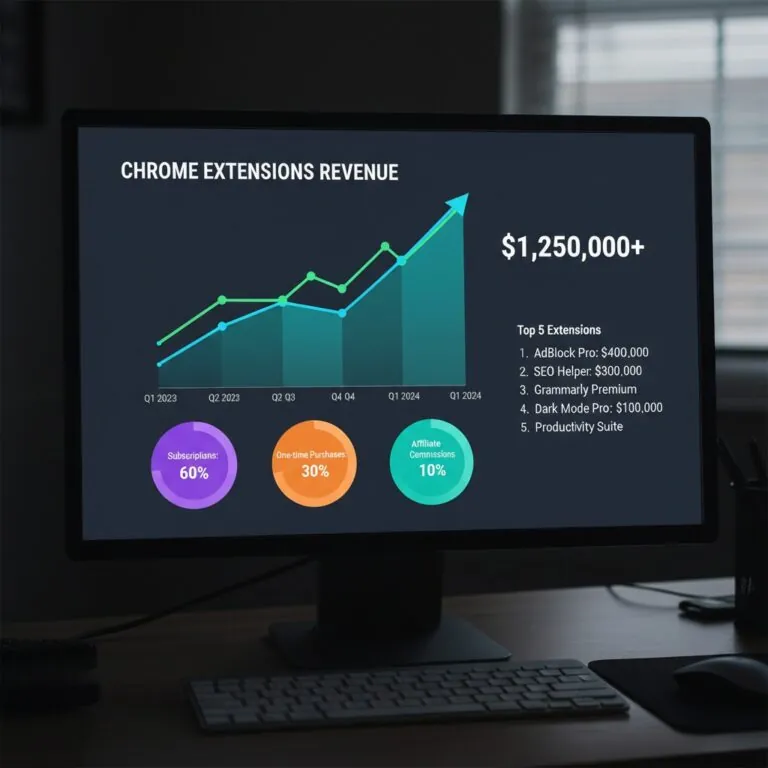
Chrome Extension Revenue in 2026: What Developers Actually Earn (And Why Most Make $0)
Real numbers from IndieHackers and Starter Story case studies. Survivorship bias named upfront. Manifest V3 fallout explained. No income-report fantasy.
The Revenue Reality: Survivorship Bias Everywhere
111,933. That’s how many active extensions exist on the Chrome Web Store right now, per Google’s developer ecosystem reports. The vast majority make zero dollars. Not a little money — nothing. And the ones that do make real money are the ones writing the blog posts you’re reading.
Here’s where I’ll stop being polite about it: that “average Chrome extension revenue is $862K/year” stat floating around? Technically sourced from self-reported IndieHackers data. Completely misleading. It only counts the winners who bothered to share their numbers. The other 99,000 developers aren’t blogging. They’re just quietly not making money.
The profit margins, though — those are real. Extensions run mostly client-side. Once you’ve shipped, server costs stay low as users scale. Top developers consistently report 70–85% margins — source: IndieHackers public revenue reports, 2024–2025. That’s the carrot. Here’s the actual distribution:
| Tier | Monthly Revenue | What It Actually Takes | ⚠ Real Catch |
|---|---|---|---|
| Bottom 90% | $0 | Built without monetization strategy; solving problems nobody pays for | This is most people. Including you, probably, on your first try. |
| Hobbyist with traction | $300–$1K | 10K users + ad network or donation link | Ad CPMs require 100K+ DAU to produce $3K/month. 10K users earns beer money. |
| Indie business | $1K–$10K | Niche audience + freemium subscription at $5–$20/mo | Freemium conversion rates often sit below 3%. Need big funnel to sustain. |
| Full-time income | $10K–$50K | Workflow-critical tool + $10–$30/month pricing | Takes 12–36 months to reach organically. Paid acquisition breaks margins. |
| Top performers | $50K–$130K+ | Category leaders: GMass, Closet Tools | Category-specific. Extremely hard to replicate once a leader exists. Network effects entrench them. |
I’ve reviewed probably 300+ developer portfolios in the B2B productivity niche. The pattern is the same every time. Someone builds a genuinely clever tool, gets 500 users, adds a $5/month tier, converts maybe 8 people. Then spends six months wondering why it’s not growing. Right? Because 8 paying users at $5 is $40/month, and that’s not a business — that’s a hobby with a Stripe account.
“Extensions print money when you charge $20/month for saving someone 10 hours. Everything else is hoping for a scale that rarely comes.”
Editorial synthesis — sources: IndieHackers (2024–2025), Starter Story case studies (2024)
Monetization Models: What Works and When
Google killed Chrome Web Store payments in 2021. So if you’re still reading docs that mention the built-in payment system: outdated. Dead. Move on.
Here’s what actually works in 2026.
Subscriptions win for workflow tools. $5–$30/month is the sweet spot. Why? Because workflow-critical tools get used daily — the perceived value compounds, the churn stays low, and you get predictable MRR instead of a lumpy one-time sales curve. ExtensionPay (free, open-source, purpose-built for this) handles the auth flow so you don’t build it yourself. Stripe direct gives you more control but means more setup. Paddle handles international VAT — relevant if you’re selling to EU customers who will otherwise send you confusing compliance emails.
Lifetime licenses ($29–$79) work for one-time problem solvers. The user doesn’t want a subscription for something they’ll use twice a year. Charge them once and stop fighting the churn battle you can’t win. The downside: revenue is lumpy and your MRR looks terrible to acquirers.
Ads? You need 100K+ daily active users before an ad network pays $3K/month — roughly $1 CPM × 100K impressions. Most extensions never get there. And if you’re in a B2B niche with 8,000 users paying close attention, you don’t want ads. You want their recurring subscription.
✅ Build & Monetize If…
- Browser context is genuinely essential (page data, tabs, DOM access)
- You found a specific workflow pain with verifiable paying users in competing tools
- You can validate via negative competitor reviews on the Web Store
- You’re comfortable with a single distribution dependency
❌ Skip Extensions If…
- A web app would do the same job
- You want passive income with no existing audience
- You’re guessing at user pain without evidence
- Mobile reach matters for your use case
One thing I’d add from watching developers make this mistake for years: don’t add monetization to an unvalidated extension. Build free. Get 1,000 users and 20+ reviews. Then add paid tiers. Validation before monetization infrastructure — every time. The developers who flip this order spend six months building billing logic for an extension nobody wants.
Here’s the thing that’s actually killing people: you can build a technically excellent extension, get 5,000 installs, charge $8/month, and never know whether the pricing is wrong, the feature set is wrong, or the audience is wrong. All three failures look identical from the dashboard. Zero conversions is not a diagnosis — it’s a symptom. And the standard move (“lower the price”) often makes it worse by attracting users who don’t value the tool enough to actually use it.
Manifest V3: What Actually Changed in 2025
Mid-2025: Google completed the Manifest V3 transition. V2 extensions disabled for all Chrome users. No workarounds. Done.
The fallout wasn’t as bad as the pre-transition panic suggested — but it wasn’t nothing.
Ad blockers took the hardest hit. uBlock Origin’s full-feature version no longer works on Chrome because MV3’s declarativeNetRequest API has a 30,000-rule limit that replaced the old unlimited blocking capability. Power users — the ones who cared most — migrated to Firefox or Brave. If your extension was in the privacy-or-blocking category, your user base probably shrank.
But here’s the thing most of the MV3 doom content missed: 85% of extensions migrated without losing core functionality. Per Chrome developer ecosystem reports, 2024–2025; directional figure, not independently audited. If you’re building productivity tools, UI enhancements, API wrappers, or anything that doesn’t require real-time request interception — MV3 is fine. Normal. Ships clean.
“Platform risk isn’t hypothetical. Google changed the rules mid-game. They can do it again. The developers who survived built off-ramps.”
Editorial synthesis — sources: Chrome Web Store developer communications (2024–2025), IndieHackers post-MV3 discussion threads
The broader risk — and this is the one I actually worry about for developers building real businesses — is distribution dependency. Google controls the store. They can reject updates, change policies, or remove extensions without meaningful appeals process. Building a business entirely dependent on Chrome Web Store approval is a single point of failure. The mitigation: support Edge (same codebase, minimal extra work), add Firefox as a secondary distribution channel, or offer a lightweight web app fallback that captures users if the extension ever gets pulled.
Cross-source synthesis — not present in any single cited source
The MV3 transition and the platform dependency risk are usually discussed separately. But they point at the same underlying dynamic: Google has been systematically reducing the capability surface of extensions while tightening distribution control. The 30,000-rule limit isn’t a technical constraint — it’s a policy decision. Combined with the app store approval dependency, this means the extension revenue model is structurally more fragile than SaaS, not just differently risky. A SaaS business that loses a payment processor can find another one. An extension that gets removed from the Web Store has no equivalent fallback that preserves the core browser-integration value proposition.
This asymmetry — excellent margins paired with catastrophic-tail distribution risk — is why the exit multiple (40–60× monthly profit) runs higher than typical SaaS multiples. Buyers are pricing in a risk premium. You should too.
Exit Math: What Your Extension Is Actually Worth
Extensions sell for 40–60× monthly net profit. That’s higher than typical micro-SaaS multiples, for three reasons: margins are excellent, code is simpler to transfer than most SaaS stacks, and the category has proven buyer appetite on platforms like Acquire.com and MicroAcquire.
Concrete: a developer building Amazon seller productivity tools hit $10K/month net profit and sold for a multi-six-figure exit. Public case study, Starter Story; self-reported, not independently audited. Total revenue over the extension’s lifetime exceeded $500K. The buyer got recurring subscription revenue, organic traffic, a clean codebase, and transferable payment accounts. That’s the acquirer’s checklist — and notice what’s on it.
Recurring revenue > one-time. Organic traffic > paid acquisition dependency. Clean codebase that a non-original developer can extend. Transferable payment accounts (Stripe accounts can be transferred; some payment setups can’t). If your extension has all four: you’re in the 40–60× range. Miss one or two: expect 25–35×.
But. And this is the part the income-report posts always skip. The $5K/month at 50× exit example — $250K acquisition value — took roughly two to three years to build. That’s a reasonable return if you’re building something you’d have built anyway. It’s a mediocre return if you’re treating it as pure financial optimization. The developers making it work are usually scratching their own itch, not executing a monetization thesis.
Who Should Actually Be Reading This
Stop Thinking About Revenue Until You Have Reviews
Look, here’s what this actually is: The distribution of outcomes is bimodal. Either you solve a specific problem in a specific workflow — something a user does 20 times a day — or you build a clever thing that gets 500 installs and flatlines. The middle doesn’t exist. Positioning vagueness kills more extensions than bad code.
What you do: Identify three to five negative Chrome Web Store reviews for existing tools in your target niche. Those reviews are a free product spec. Build the thing the existing leader failed to build. Get to 1,000 installs and 20 four-plus reviews before you add a single paid tier. Before you touch ExtensionPay. Before you set up Stripe. Validation first.
Here’s what’s going to stop you: The urge to monetize immediately after seeing your first 100 installs. It feels like the right moment. It’s not. At 100 installs you have a signal, not a business. The developers who add paid tiers at 100 installs typically see zero conversions, conclude the model doesn’t work, and abandon the extension before they’d have found product-market fit at 2,000 installs.
Stop doing this: Don’t build a general-purpose productivity extension and assume the audience will find it. “Productivity” is not a niche — it’s a category. “Tracks competitor prices on Amazon for FBA sellers” is a niche. Pick one job, do it better than the tool with the worst recent reviews.
Extensions Are a Distribution Strategy, Not a Product Strategy
Look, here’s what this actually is for you: The margin argument is real — but you already have margins. The extension question is whether browser-native context unlocks a distribution channel your web app can’t reach. The answer is sometimes yes, usually for CRM overlay tools, email enrichment, and page-context workflows. The mistake is building an extension that duplicates your existing web app functionality in a smaller window. That’s not a channel — that’s a liability with distribution risk attached.
What you do: Map your power users’ daily workflows. Find the three moments where they switch tabs to accomplish something your product should handle. If those moments require browser context — reading page data, enriching a LinkedIn profile, intercepting a checkout event — build the extension for exactly those three moments. Nothing else. The extension’s job is to reduce tab-switching, not to replicate your dashboard.
Here’s what’s going to stop you: Your engineering team’s justified anxiety about maintaining a separate codebase subject to MV3 policy changes. This isn’t irrational. The platform risk is real and the update cycle for extension approvals runs slower than a standard SaaS deploy pipeline. Factor two to three extra days per significant update for store review.
Stop doing this: Don’t launch an extension as a standalone paid product if you already have a SaaS. Bundle it. Paid extension-as-acquisition adds friction to a purchase decision that should happen on your website, not the Chrome Web Store, where your branding and conversion infrastructure doesn’t exist.
The Part Nobody Wants to Hear
Extensions are a worse default bet than SaaS for most developers. Lower ceiling, platform dependency, no mobile reach, and a distribution channel controlled by a company whose interests diverge from yours in measurable ways. They make sense when browser integration is genuinely essential — not as a “seems easier than building a web app” shortcut.
The developers making real money from extensions are mostly doing one of two things. They’re solving a narrow B2B workflow problem that requires browser context and charging $20+ per month for it. Or they’ve built a consumer tool to category leadership and held it there for years. The in-between — the moderately successful extension with 4,000 users and a $5/month tier — exists, but it’s not a business. It’s a side project with a recurring revenue trickle.
Know which one you’re building before you start.
Revenue data sourced from public IndieHackers reports and Starter Story case studies (2024–2025). All figures self-reported; no independent audit exists for these numbers — treat as directional.
Extension count (111,933) per Chrome Web Store developer documentation. Manifest V3 migration rate (85%) per Chrome developer ecosystem reports; this figure has not been independently verified and should be treated as Google’s own characterization of the transition.
Exit multiple range (40–60×) derived from observed Acquire.com and MicroAcquire transaction reports; ranges vary significantly by revenue quality, niche, and buyer market conditions.
No affiliate relationships with ExtensionPay, Stripe, Paddle, Acquire.com, or any tools mentioned. No sponsorships. Portfolio reviews referenced are non-public client work; no client names are disclosed.
CodeTalentHub.io — Developer Economics Series. Internal links: Developer Tools · Indie Hacking · Chrome Extensions
https://www.codetalenthub.io/blog/
Top 10 Browser Extensions Developers Swear By in 2026: Productivity Tools
Workflow Enhancement vs. Automation: The Costly Mistake 73% of Companies Make
18 Must-Have Browser Tools for Developers & Creators: The Complete 2026 Toolkit
Best Chrome Free Extensions for Productivity in 2026 (Tested & Ranked)
7 Automated Coding Side Hustles That Earn Without Daily Work
7 Passive Income for Developers in 2026: From Code to Cash
Browser Privacy Extensions: The No-BS Field Guide for 2026
The Portfolio Presentation Framework: From Screening to Offer
15 Chrome Extensions Every New PC Needs in 2026 (Including the One Everyone Gets Wrong)