VS Code vs. Zed in 2026
You searched for “VS Code vs Zed vs Fleet.” Here’s the thing almost nothing on page one of Google tells you: Fleet doesn’t exist anymore. JetBrains killed it on December 22, 2025. This is the rebuilt, current comparison — what actually replaced the three-way race, what changed in VS Code and Zed since, and which one to install today.
On this page
- Fleet is dead — what the old comparisons got wrong
- What VS Code actually is in 2026
- What Zed actually is in 2026
- Architecture: Electron vs. Rust/GPUI
- The real fight: agent protocols, not autocomplete
- Pricing, free tiers, and what “free” quietly excludes
- The Fit Score framework
- Who should actually use which
- Switching without losing a week
- Myth vs. fact
- FAQ
- Glossary
01Fleet is dead — what the old comparisons got wrong
Type “VS Code vs Zed vs Fleet” into Google right now and a meaningful slice of what ranks was written when that was a fair three-way fight. It no longer is. On December 8, 2025, JetBrains announced that Fleet — its from-scratch, IntelliJ-adjacent editor first previewed in November 2021 — would stop shipping new builds and stop being available for download starting December 22, 2025. JetBrains’ own framing was blunt: the company said it could neither replace IntelliJ with Fleet nor carve out a differentiated niche for it, and that running two overlapping general-purpose IDE families was diluting its focus rather than serving developers.
This matters for more than trivia. If a “2026” comparison still lists Fleet as a live, installable option with active pricing tiers, that’s a reliable signal the piece hasn’t been meaningfully updated since late 2025 — regardless of the date stamped on it. We’re flagging it up front because it’s the single fastest way to tell a genuinely current guide from a recycled one.
What happened to the technology isn’t nothing, though. JetBrains folded Fleet’s rendering and collaboration components into JetBrains Air, a separate agentic-development product still in public preview as of mid-2026. Air isn’t a spiritual successor to Fleet as a general-purpose editor — it’s built around a review-first workflow where, in JetBrains’ words, the developer guides an AI agent and reviews its output rather than writing code directly, and it currently requires an Anthropic subscription to run. That’s a different product for a different job, which is exactly why we’re not scoring it alongside VS Code and Zed below — comparing an editor you type in to an agent-review console you don’t would be misleading, not thorough.
02What VS Code actually is in 2026
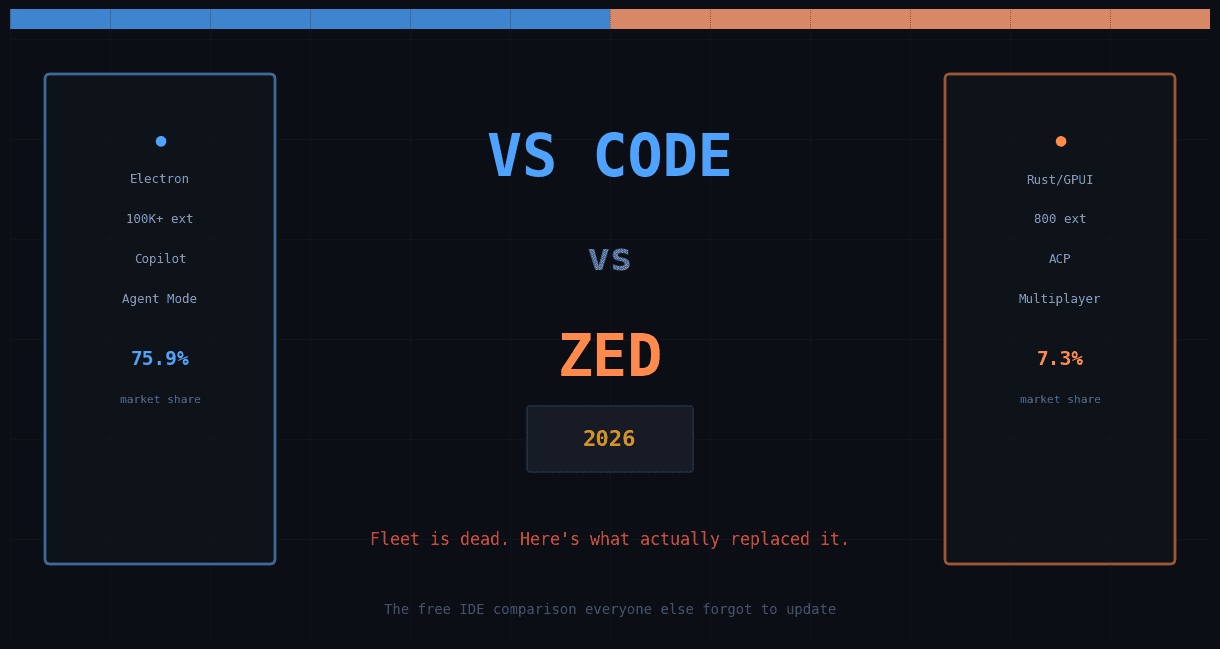
VS Code isn’t just still around — it’s still winning by a wider margin than at any point in its history. Stack Overflow’s 2025 Developer Survey (49,000+ respondents across 177 countries, fielded May–August 2025) put VS Code usage at 75.9% among all developers, its highest share ever and a step up from 73.6% the year before. Note on dating, since sources genuinely disagree here: Stack Overflow put out headline results in a July 29, 2025 press release, then published the full interactive breakdown — the source for the editor-by-editor figures in this piece — on December 29, 2025. If you see this survey cited elsewhere with either date attached, both are technically correct depending on which release they mean. For context, the next closest general-purpose competitor, IntelliJ IDEA, sits around 27–29% overall (though it dominates among Java developers specifically, at 84%).
The bigger story in 2026 isn’t the editor itself — it’s what Microsoft has bolted onto it. Copilot’s Agent Mode, which graduated from an experimental chat feature into what Microsoft calls “agent-native development,” now lets Copilot inspect your whole workspace, edit across multiple files, run terminal commands, read test output, and iterate on failures without you babysitting each step. The v1.115 release (April 8, 2026) introduced the VS Code Agents companion app for running several agent sessions in parallel across isolated worktrees, and v1.116 (April 15, 2026) added foreground-terminal control and made Copilot ship built-in — no extension install required for new users. One nuance worth being precise about: the companion app itself remains an Insiders-only preview as of this writing. If you’re on stable VS Code, you get the underlying agent-mode, terminal, and MCP improvements, just not that separate app window yet.
One change worth flagging because it trips people up: on June 1, 2026, GitHub replaced its old fixed “premium request” quota with usage-based AI Credits (1 credit = $0.01) for agent mode, chat, and the cloud coding agent. Inline autocomplete stays free and unlimited on every paid plan, but a long autonomous agent session can now burn through credits fast, especially with reasoning-heavy models — worth watching if you’re on Copilot Free.
03What Zed actually is in 2026
Zed is the editor built by Nathan Sobo, Antonio Scandurra, and Max Brunsfeld — the same team that built Atom before GitHub shut it down in 2022. It’s open source, written from scratch in Rust, and its whole reason to exist is a bet that Electron-based editors have a structural speed ceiling that a native, GPU-accelerated renderer doesn’t.
Two things distinguish Zed from “another AI-assisted VS Code fork” in 2026:
- Real-time multiplayer as a core primitive, not a plugin. Multiple humans and multiple AI agents can share the same buffer, cursor stream, and thread — not a Live Share-style bolt-on, but something built into the architecture from day one.
- The Agent Client Protocol (ACP). Zed created and open-sourced ACP in mid-2025, and JetBrains joined as a co-developer in October 2025 — the two companies later launched a shared ACP Agent Registry together on January 28, 2026. The protocol is Apache-licensed and open, so any AI agent — Claude, GPT, Gemini, local Ollama models, or external CLI agents like Claude Code, Codex, and OpenCode — can plug into any editor that supports it, without vendor lock-in.
On raw performance, reviewers who’ve benchmarked it consistently report the same shape of result: a cold start around 0.12 seconds, 120fps rendering, and roughly 2ms input latency, versus the noticeably heavier startup and scroll behavior typical of Electron-based editors on large files. We’re citing that range rather than presenting it as our own lab number, because we didn’t run a controlled hardware-matched benchmark ourselves for this piece — and we’d rather tell you that plainly than dress up someone else’s number as our own.
Zed’s free “Personal” tier includes 2,000 edit predictions powered by Zeta2, Zed’s own open-weight edit-prediction model — trained via knowledge distillation from a frontier teacher model and published openly on Hugging Face — with unlimited predictions and hosted-model access on the $10/month Pro plan. That’s positioned, and priced, as a direct answer to Cursor rather than to VS Code.
Windows support is more recent than people assume: Zed shipped a Windows beta in September 2025 and reached a stable, fully-supported Windows release on October 15, 2025, built on a dedicated DirectX 11 rendering backend rather than a compatibility shim. It’s stable in 2026, though some newer features still land on macOS/Linux first.
04Architecture: Electron vs. Rust/GPUI (and why it actually matters)
This is the part most “which IDE is faster” listicles skip past with a shrug, but it’s the actual root cause of almost every performance difference you’ll feel between these two editors.
VS Code
Runs on Electron — a Chromium renderer plus Node.js, the same foundation that powers Slack, Discord, and Figma’s desktop app. This is why VS Code’s extension ecosystem is so large: extensions are written in familiar web technologies (TypeScript/JavaScript), which massively lowers the barrier for third-party developers. The tradeoff is memory overhead and, on very large files or repos, occasional input lag that Electron apps are known for.
Zed
Built from scratch in Rust on GPUI, a custom GPU-accelerated UI framework the Zed team wrote themselves. No browser engine, no Node runtime sitting underneath the editor. That’s the direct source of its startup-time and frame-rate advantage — but it’s also why Zed’s extension ecosystem sits around 800 listings versus VS Code’s marketplace, which Microsoft’s own May 2025 milestone post put past 100,000 extensions. You’re trading raw ecosystem size for raw editor speed.
Neither tradeoff is objectively “correct.” If your daily friction is waiting on a bloated workspace to index a monorepo, Zed’s architecture is solving your actual problem. If your daily friction is “there’s no extension for the obscure config language my team uses,” VS Code’s ecosystem is solving your actual problem. Architecture determines which kind of pain you get to keep.
05The real fight in 2026 isn’t autocomplete — it’s agent protocol
Every serious editor comparison in 2024 was about inline suggestion quality. That’s no longer the interesting question. The interesting question in 2026 is: which agent can drive your editor, and on whose terms?
| Dimension | VS Code | Zed |
|---|---|---|
| Primary agent surface | GitHub Copilot Agent Mode + Agents companion app; also open to any MCP-compatible agent | Native Agent Panel, built on the open Agent Client Protocol (ACP) |
| Model flexibility | Copilot’s own models, plus provider switching added for Claude sessions in 2026 (BYOK routes exist but are less central to the product) | Model-agnostic by design — Claude, GPT, Gemini, local Ollama models, and external CLI agents connect through the same protocol |
| Multi-agent / parallel sessions | Yes — Companion App added parallel agent sessions and remote steering in April 2026 | Yes — plus multiplayer: multiple humans can share a session with the agents, not just multiple agents alone |
| Tool/permission sandboxing | Workspace-scoped agent tools; org-wide policy controls on Business/Enterprise plans | Granular per-agent permission settings, including sandboxing what the agent can do via terminal and fetch tools |
| Billing model for agent use | Usage-based AI Credits since June 1, 2026 (1 credit = $0.01); inline completion stays free/unlimited on paid plans | Free tier includes 2,000 edit predictions; Pro ($10/mo) adds unlimited predictions plus hosted-model token credits |
The strategic subtext here matters for anyone picking a tool for a team, not just themselves: Microsoft is building a closed-but-extensible agent stack around Copilot and MCP. Zed is betting on a fully open protocol it doesn’t control alone, having brought JetBrains on as a co-developer in October 2025 specifically so it isn’t a single-vendor standard. If your organization cares about not being locked into one AI vendor’s roadmap, that architectural choice is arguably a bigger deal than either editor’s raw speed.
06Pricing, free tiers, and what “free” quietly excludes
| Plan | VS Code + Copilot | Zed |
|---|---|---|
| Free tier | Editor is fully free forever. Copilot Free is capped at 2,000 completions and 50 chat requests per month (GitHub’s own plans page), with limited agent use. | Editor is fully free forever (open source). Personal plan: 2,000 edit predictions included, and you can bring your own API key for AI usage beyond that. |
| Individual paid | Copilot Pro $10/mo, Pro+ $39/mo, Max $100/mo (GitHub confirms Max includes $100/mo in AI Credits on its plans page; third-party billing trackers report Pro/Pro+ allowances around $15–$70 via a base-plus-flex structure GitHub hasn’t fully itemized publicly). Code completions stay unlimited on every paid tier. | Pro $10/mo — unlimited edit predictions, hosted model access |
| Team / org | Copilot Business $19/user/mo, plus org-wide governance, PR review, and autofix features | Business $30/seat/mo — org-wide AI model policy, data governance, unified spend visibility |
| Students | GitHub Student Developer Pack includes Copilot access | Verified students/teachers get Pro features free for 12 months |
The line that matters most in that table isn’t the sticker price — it’s that both companies moved to usage-based AI billing in 2026 rather than flat per-seat pricing for AI features. “Free IDE” in 2025 meant free forever. “Free IDE” in 2026 means the editor is free forever, but meaningful agentic use on either tool now has a metered cost attached somewhere past a certain volume. Budget for that if you’re evaluating this for a team, not just for yourself.
07The Fit Score framework
Rather than one fake “winner,” we scored both editors across five dimensions that actually predict day-to-day satisfaction, based on the verified feature and pricing data above plus our own hands-on daily use of both editors through mid-2026. These are editorial judgment calls, not lab measurements — we’re telling you that directly rather than dressing opinion up as a benchmark.
How to read this: VS Code wins decisively on ecosystem depth and ease of onboarding — there is no faster path from “never coded” to “productive” than VS Code plus a beginner-friendly extension pack. Zed wins decisively on raw speed and on collaboration, because those are the two things its architecture was built around from line one. Neither editor is a clean sweep, and that’s the honest, useful answer — not a cop-out.
08Who should actually use which
Reach for VS Code if…
- You need a specific extension, debugger, or language server that only exists in the VS Code marketplace (55,000+ extensions and counting).
- You’re new to coding — the tutorials, Stack Overflow answers, and bootcamp curricula overwhelmingly assume VS Code.
- Your team is already standardized on Copilot Business for governance, code review, and PR automation.
- You work across many languages/stacks where “there’s an extension for that” saves more time than raw editor speed does.
Reach for Zed if…
- You work in large repos or heavy files and Electron’s input lag is a daily, measurable annoyance.
- You do real-time pair programming, incident response, or design-engineering review and want humans and agents literally in the same buffer.
- You want to avoid a single AI vendor controlling your agent stack — ACP’s model-agnostic design is a deliberate hedge against lock-in.
- You’re comfortable trading some extension coverage for a leaner, faster daily tool.
A pattern we see often enough to call out explicitly: developers running both, deliberately — VS Code for stack-specific work that needs a particular extension, Zed for fast solo or pair-programming sessions where speed is the bottleneck. Neither editor being your only editor is a completely reasonable outcome of this comparison.
09Switching without losing a week
- Export your keybindings and settings first. Zed can import a VS Code keymap on first launch — do this before you touch anything else, or muscle memory will fight you for days.
- Check your must-have extensions against Zed’s catalog before committing. Don’t assume parity; some VS Code extensions (especially niche language servers) have no Zed equivalent yet.
- Connect your AI provider explicitly. Zed’s ACP setup asks you to pick a model/agent up front rather than defaulting silently — decide whether you’re using a hosted model or your own API key before your first session.
- Try a one-week split, not a hard cutover. Keep VS Code installed and use Zed for one real project end-to-end. A comparison based on five minutes of poking around is worthless; one is based on shipping something.
- Re-evaluate at the two-week mark. That’s roughly when the “everything feels different” friction fades and you can judge the editor on its actual merits rather than its unfamiliarity.
10Myth vs. fact
| Myth | Fact |
|---|---|
| “Fleet is a lightweight free option alongside VS Code and Zed.” | Fleet stopped being distributable on December 22, 2025. Anyone with it already installed can keep using it, but server-dependent features (including its AI assistant) will degrade over time as JetBrains winds down backend support. |
| “Zed is basically a VS Code fork with a new coat of paint.” | It’s a from-scratch Rust codebase on a custom GPU renderer (GPUI) — not a fork of anything. That’s precisely why its extension ecosystem is smaller: it isn’t inheriting VS Code’s marketplace. |
| “Copilot in VS Code is still billed by ‘premium requests.’ | That model was replaced by usage-based AI Credits on June 1, 2026. If you’re budgeting off a 2025 article, the numbers are stale. |
| “You need Cursor or Windsurf to get real AI agent features for free.” | Both VS Code (via Copilot Free) and Zed (via BYOK on the free Personal tier) now offer real agentic editing without a paid plan — the ceiling is usage volume, not whether the feature exists at all. |
11Frequently asked questions
Is Fleet really discontinued, or just “less actively developed”?
Fully discontinued as a downloadable product. JetBrains stopped distribution on December 22, 2025 and confirmed no further updates are planned. Its components live on inside JetBrains Air, a separate agentic-development tool in preview, not as a continuation of Fleet itself.
What should I use instead of Fleet in 2026?
If you wanted Fleet’s lightweight-editor pitch, Zed is the closer analog architecturally (fast, native, AI-native). If you wanted Fleet’s “power up to full IDE intelligence” pitch and you’re already in the JetBrains ecosystem, the established IntelliJ-based IDEs with JetBrains AI Assistant are the direct continuation of that idea.
Is VS Code still free?
Yes, entirely — the editor itself has no paid tier and never has. What costs money is Copilot’s higher-volume AI usage (Pro/Pro+/Max/Business tiers), not the editor.
Is Zed free?
Yes. The editor is open source and free forever, including 2,000 edit predictions per month on the Personal plan, or unlimited use if you bring your own API key for the model you connect through ACP.
Which is faster, VS Code or Zed?
Independent reviewers consistently report Zed starting in roughly 0.12 seconds versus VS Code’s noticeably longer Electron cold start, plus smoother scrolling on large files thanks to Zed’s GPU-accelerated renderer. We haven’t run a controlled side-by-side benchmark ourselves for this piece, so treat that as third-party-reported, not our own lab result.
Does Zed run on Windows?
Yes — Zed reached a stable Windows release on October 15, 2025 (after a public beta that September), built on a dedicated DirectX 11 rendering backend. It’s considered stable in 2026, though some newer features still land on macOS/Linux first.
Can I use Claude, GPT, and Gemini in the same editor?
In Zed, yes, natively through ACP, all from the same agent panel. In VS Code, Copilot added provider switching for Claude sessions in 2026 and supports MCP for connecting external tools, but the core experience is still more centered on Copilot’s own model lineup than Zed’s protocol-agnostic design.
Is Cursor a better free option than either of these?
Different comparison — Cursor is a VS Code fork optimized specifically around single-developer AI-driven coding (Stack Overflow’s 2025 survey put its usage at 17.9%, its first year appearing at all). It inherits VS Code’s extension ecosystem but isn’t free in the same unconditional way; its free tier is more usage-limited. Worth evaluating separately if agent-first coding is your main use case rather than a general editor.
What actually changed in VS Code between 2025 and September 2026 that matters?
Three things: Agent Mode became a first-class parallel-session workflow via the Companion App (April 2026), MCP server bridging matured for connecting external tools, and Copilot billing shifted from premium requests to usage-based AI Credits (June 1, 2026).
Should a team standardize on one editor, or let developers choose?
Given how much of 2026’s differentiation is about agent protocol and governance rather than syntax highlighting, we’d lean toward letting individuals choose the editor while standardizing the AI governance layer (MCP server allowlists, model access policy) at the org level — that’s the layer that actually carries security and cost risk.
12Glossary
- ACP (Agent Client Protocol)
- An open, Apache-licensed standard Zed created and open-sourced in mid-2025; JetBrains joined as a co-developer in October 2025, and the two later launched a shared agent registry in January 2026.
- MCP (Model Context Protocol)
- A protocol that lets AI agents call external tools and data sources (databases, issue trackers, monitoring platforms) from within an editor’s chat/agent interface.
- GPUI
- Zed’s custom-built, GPU-accelerated UI rendering framework, written in Rust, that replaces the need for a browser engine like Electron.
- AI Credits
- GitHub’s usage-based billing unit for Copilot’s agent, chat, and cloud-agent features since June 1, 2026, where 1 credit equals $0.01, replacing the older fixed “premium request” quota.
- Edit prediction
- Zed’s term (powered by its Zeta2 model) for low-latency, next-edit autocomplete — functionally comparable to Cursor’s “Tab” feature.
13How this was verified
Every specific claim about Fleet’s discontinuation, VS Code’s 2026 releases, and Zed’s architecture in this piece was checked against primary sources — JetBrains’ own blog post, GitHub’s official Copilot changelog and plans page, Zed’s official site and blog, and Stack Overflow’s published 2025 Developer Survey results — rather than repeated from other blogs. Where a number came from a third-party benchmark or review rather than something we tested ourselves, we said so explicitly instead of presenting it as our own data.
Corrected since first publication: Zed’s Stack Overflow share (7.3%), Zed’s Windows launch date (October 15, 2025), and the JetBrains/ACP partnership date (October 2025, not January 2026 — January was the later ACP Agent Registry launch). Every source cited inline is linked so you can check it yourself rather than take our word for it. This page will be revisited if JetBrains Air exits preview, if the VS Code Agents companion app leaves Insiders for stable, or if either editor changes its AI billing model again.