Last updated 31 October 2026. Every figure below comes from a page I opened while researching this, and each is linked. Where something is my own arithmetic or opinion, I say so. Free-tier limits change, so check the linked pages before you commit to a plan.
The short version
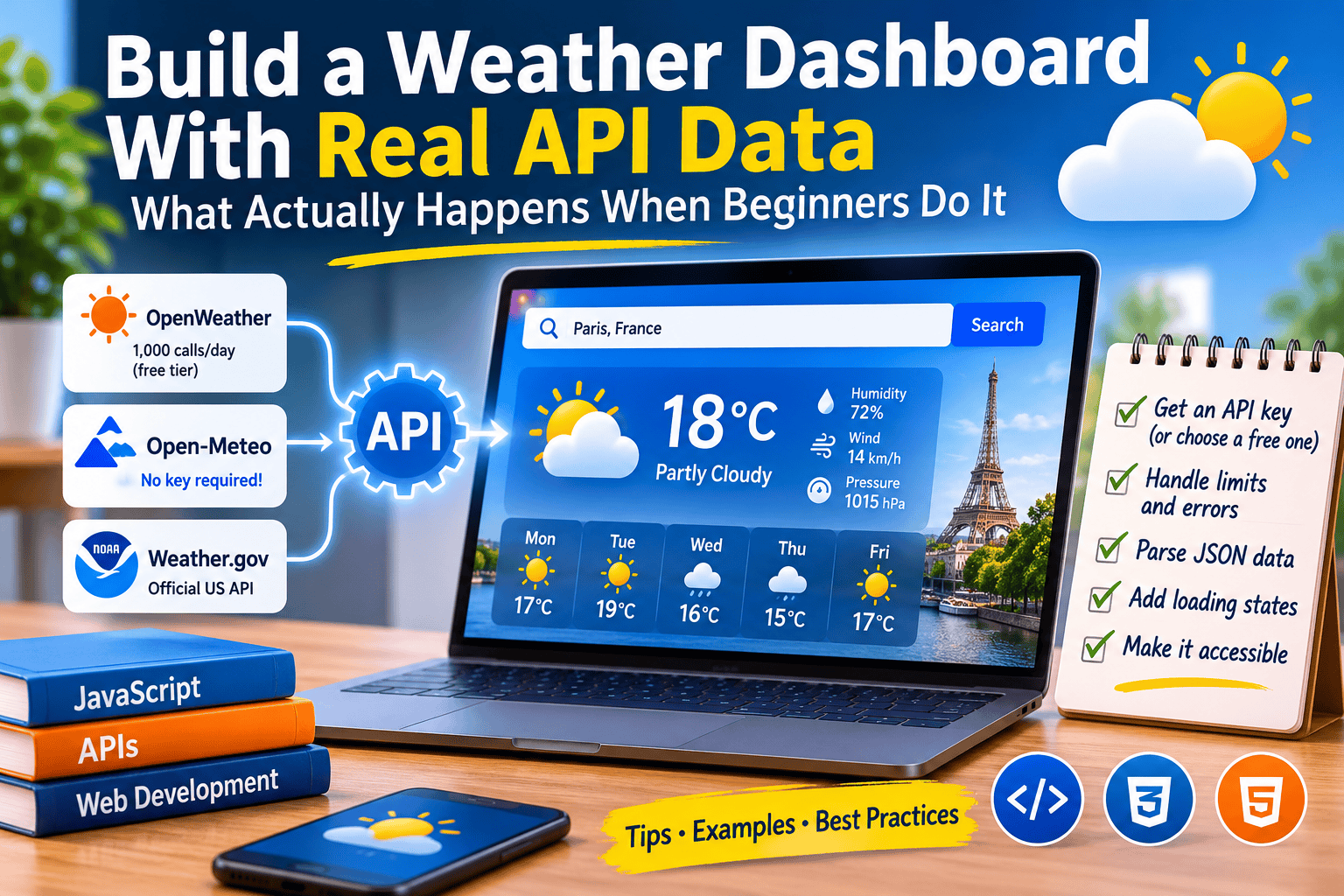
A weather dashboard is the classic first API project because it is small, visual, and forgiving. It is also a surprisingly honest teacher. In one weekend you meet almost every problem real API work throws at you: keys, quotas, rate limits, awkward JSON, empty states, and providers that change their rules or disappear.
Here is what the evidence says:
- Start with a keyless API. Open-Meteo needs no key and is free for non-commercial use, so you skip the most common beginner trap: leaking a key from front-end code.
- Treat a free tier as a daily budget. OpenWeather’s One Call 3.0 includes 1,000 free calls per day, then bills per call. A dashboard that refreshes too often can burn through that (the math is below).
- Providers can vanish. Dark Sky was a developer favorite until Apple bought it and ended API support at the end of 2022. Keep one small adapter between the API and your UI.
- The boring parts are the valuable parts. Loading states, error messages, caching and accessibility are what turn a toy into something you can show an employer.
Why this project keeps showing up
The Odin Project, a widely used free web-development curriculum, uses a weather app as its JavaScript API project. The assignment asks you to search by location, toggle Fahrenheit and Celsius, change the page’s look based on the data, and add a loading component you test with DevTools network throttling (The Odin Project: Weather App).
Read that list again. Almost none of it is about weather. It is about fetching, reshaping JSON into only the fields you need, surviving a slow network, and showing state to a human. Weather is simply a dataset everyone understands, so you can tell at a glance when your output is wrong.
Four cases worth studying
Case 1: The Odin Project learners, and what a free-tier cap does to your design
Public GitHub repos show how learners actually build this, and the differences are instructive.
- One learner built a search-by-city app with a 3-day forecast on WeatherAPI.com. Their README says the free tier capped the forecast at three days, so a 7-day view went onto the “later” list (scottwright-dev/weather-app).
- Another built a React version on OpenWeather with a 7-day forecast, the five most recent searches, a metric/imperial switch, and a different background for each weather type (KFig21/weather_api_react).
- A third built a React Native and TypeScript version that keeps the key in a
.envfile and handles failed requests (lolikana/odin-weather_app).
The first project shows the cost of reading the plan after designing the UI. Read the limits first.
The Odin lesson also says something beginners should not skip. Front-end API keys are visible to anyone with DevTools, which makes them a target for people who want free usage and can exhaust your quota. The curriculum accepts this for that project because the key is a free public one, says plainly that it is not true of every key, and points to backend courses for the proper fix. Carry that caveat forward, because exposed keys are the habit that gets expensive later.
Case 2: Open-Meteo, the keyless route
Open-Meteo’s repository describes an open-source weather API that is free for non-commercial use, needs no key, supports CORS, and publishes data under CC BY 4.0 (Open-Meteo on GitHub; README summary mirrored at ecosyste.ms). The README also lists third-party apps built on it, including Weather Please, QuickWeather and Rain.
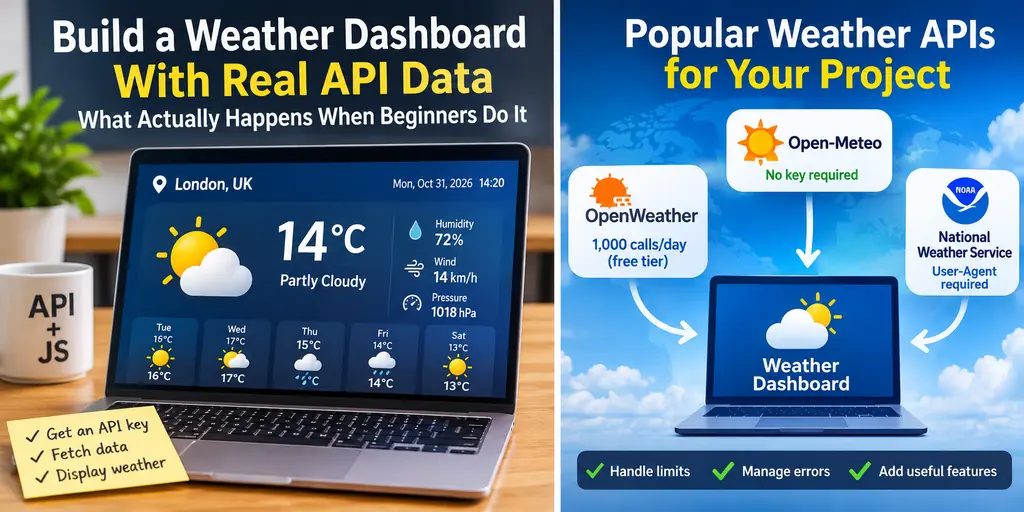
The free-tier terms are precise: under 10,000 calls per day, 5,000 per hour, and 600 per minute, non-commercial use only, with CC BY 4.0 attribution (Open-Meteo terms).
One detail most tutorials skip: not every request counts as one. Open-Meteo’s own blog explains that requests for more than 14 days of data and/or more than 10 variables carry a higher weight, and the number of locations is part of the calculation. Their worked example counted as about 260.7 calls (Open-Meteo blog).
Why it suits a first build: with no key, there is nothing to leak, so you can concentrate on the real skills. The catch is the non-commercial line, which starts to matter the day you put ads or a paid product around the dashboard.
Case 3: The National Weather Service API, where the API is shaped differently than you expect
For a US audience, api.weather.gov is the official source. The NWS documentation says it provides forecasts, alerts, and observations, requires a User-Agent that identifies your app, and warns that this will be replaced by an API key in the future (weather.gov documentation).
It also forces a design pattern. You cannot request a forecast straight from latitude and longitude. You call /points/{lat},{lon} first, which returns the forecast URLs for that grid, then you call the one you want. The standard forecast covers seven days in 12-hour periods, and active alerts are one request away (/alerts/active?area=KS). A developer guide on publicapis.io walks through the same two-step flow with examples (guide).
This is the case that teaches you real APIs are not built for your convenience. Chaining two requests, reading URLs out of a response, and sending a proper User-Agent are skills you will use constantly.
Case 4: Dark Sky, and the day a provider disappeared
Dark Sky was a popular weather API. Apple acquired the company in 2020 and stopped new API signups. TechCrunch reported that the old API gave 1,000 free calls and then charged $0.0001 per extra call, and that Apple moved paying customers toward WeatherKit, which includes 500,000 calls per month with an Apple Developer Program membership (TechCrunch, Sept 2022). Support for existing API customers was extended to the end of 2022 (iMore), and the app was no longer available from 1 January 2023.
Any tutorial that hard-coded Dark Sky’s response format simply stopped working. The defense is cheap: one adapter function between the API and your interface, so a provider swap means rewriting one file.
The options side by side
Limits as published at the time of writing.
| Open-Meteo | OpenWeather One Call 3.0 | NWS (api.weather.gov) | Dark Sky (historical) | |
|---|---|---|---|---|
| Key needed | No | Yes (a payment card is needed to subscribe, per a third-party guide) | No, but a User-Agent is required | Yes |
| Free allowance | Under 10,000 calls/day | 1,000 calls/day, then pay per call | No call count found in the pages I read | 1,000 calls/day, then $0.0001/call |
| Coverage | Global | Global | United States | Global |
| Commercial use on the free tier | No | Plan is pay-as-you-go | Open data per its documentation | Shut down |
| Best for | First build, learning | One all-in-one response | US alerts and official forecasts | A cautionary tale |
Sources: Open-Meteo terms, OpenWeather pricing, weather.gov docs, TechCrunch.
OpenWeather’s One Call 3.0 returns a minute forecast for 1 hour, hourly for 48 hours and daily for 8 days (OpenWeather). A third-party write-up of the signup says new keys can take up to an hour to activate, which is worth knowing before you decide your code is broken (PyPI project page). OpenWeather’s pricing page also lists free developer-plan access for students and educators.
Free daily call allowance (one block = 500 calls)
Open-Meteo (non-commercial)   ████████████████████  10,000
OpenWeather One Call 3.0      ██                      1,000
Dark Sky (before shutdown)    ██                      1,000
The budget math nobody shows beginners
This section is my own arithmetic, not a quote. It assumes one request per city per refresh. Open-Meteo may weight some requests more heavily, as explained above.
| Dashboard setup | Calls per day | Fits OpenWeather free (1,000/day)? | Fits Open-Meteo free (10,000/day)? |
|---|---|---|---|
| 1 city, refresh every 15 min | 96 | Yes | Yes |
| 5 cities, refresh every 15 min | 480 | Yes | Yes |
| 10 cities, refresh every 15 min | 960 | Barely | Yes |
| 10 cities, refresh every 10 min | 1,440 | No, you pay | Yes |
| 5 cities, refresh every minute | 7,200 | No, you pay | Yes, but close to the daily limit |
The fix is free. Forecasts do not change every minute, so cache each response for 10 to 15 minutes and serve repeat views from the cache. That one decision makes a dashboard cheaper, faster, and kinder to the provider.
A build plan, with code I actually tested (partly)
Honest note on testing: I ran the adapter, cache, and error-handling code below in Node 22 against mocked API responses, and it behaved as described (one network call within 15 minutes, a second call after the cache expired, a friendly message on a 429, and a clear error on a malformed response). I did not run it against the live Open-Meteo servers from my environment. Do that first, and read the current parameter names in the Open-Meteo docs, because APIs change.
Think of the app as four small layers:
Search box -> Geocoding -> Weather API -> Adapter -> Cache -> UI
                                            |
                              (swap providers here only)
The data layer:
javascript
const WMO = {
0: "Clear sky", 1: "Mainly clear", 2: "Partly cloudy", 3: "Overcast",
45: "Fog", 51: "Light drizzle", 61: "Light rain", 63: "Rain", 65: "Heavy rain",
71: "Light snow", 73: "Snow", 80: "Rain showers", 95: "Thunderstorm"
};
const describe = (code) => WMO[code] ?? "Unknown conditions";
function adapt(raw, place) {
const c = raw?.current, d = raw?.daily;
if (!c || !d) throw new Error("Unexpected response shape");
return {
city: place,
temp: Math.round(c.temperature_2m),
condition: describe(c.weather_code),
high: Math.round(d.temperature_2m_max[0]),
low: Math.round(d.temperature_2m_min[0]),
};
}
const cache = new Map();
const TTL = 15 * 60 * 1000; // 15 minutes
async function getWeather(lat, lon, place) {
const key = `${lat},${lon}`;
const hit = cache.get(key);
if (hit && Date.now() - hit.t < TTL) return hit.v;
const url = `https://api.open-meteo.com/v1/forecast?latitude=${lat}&longitude=${lon}` +
`¤t=temperature_2m,weather_code` +
`&daily=temperature_2m_max,temperature_2m_min&timezone=auto`;
const res = await fetch(url);
if (!res.ok) {
throw new Error(res.status === 429
? "Rate limit reached, try again soon."
: `Weather request failed (${res.status})`);
}
const v = adapt(await res.json(), place);
cache.set(key, { t: Date.now(), v });
return v;
}Why it looks like this: fetch does not reject on HTTP errors like 404 or 429, so you must check res.ok yourself (MDN: Using Fetch). Open-Meteo documents that daily variables require a timezone parameter, and that weather_code follows WMO interpretation codes (Open-Meteo docs). The WMO table above is deliberately partial; fill in the rest from the official table and keep the “Unknown conditions” fallback.
Build in this order:
- Geocode first. Turn a city name into coordinates with Open-Meteo’s geocoding endpoint (
geocoding-api.open-meteo.com/v1/search). - Write the adapter. Return only what your UI needs. The Odin assignment asks for exactly this step.
- Handle failure on purpose. City not found, no network, a rate-limit response. Write one human sentence for each.
- Add a loading state and test it with DevTools throttling, as the Odin assignment suggests.
- Add units (°C/°F) as a display concern, not a second API call.
- Add “use my location” last. The browser Geolocation API requires HTTPS, asks the user for permission, and can be blocked by policy, so your app must work when the answer is no (MDN: Geolocation API).
- Credit your data. Open-Meteo asks for CC BY 4.0 attribution.
- Only then add a second provider behind the same adapter. That is your Dark Sky insurance, and a strong interview talking point.
Accessibility and deployment, the two steps most tutorials skip
- Announce changes. Put loading and error messages in an element with
aria-live="polite"so screen-reader users hear status changes without losing focus. This is the idea behind WCAG’s status-messages success criterion (W3C: Understanding Status Messages). - Never rely on an icon or color alone. Always print the condition as text (“Light rain”) next to the icon.
- Deploy it. A keyless API means your dashboard can be a plain static site. Free static hosting such as GitHub Pages is enough, and a live link beats a screenshot in any portfolio.
Mistakes this project exposes
- Shipping a key in front-end code. Acceptable for a throwaway public key, wrong for anything tied to billing. Use a keyless API, or a small server or serverless function that holds the key.
- A refresh timer you never did the math on. See the budget table.
- Trusting the first response shape. Fields go missing. Guard for it.
- Ignoring the licence. “Free for non-commercial use” is a real boundary if you later monetize the page.
- Designing before reading the limits. The 3-day-forecast cap in Case 1 is the clean example.
What to put in your portfolio
Most weather apps look alike, so differentiate on engineering, not weather icons. In your README, say which provider you chose and why, how many calls a day your refresh rate costs, how you cache, how you handle a failed request, and how you would swap providers. Those five sentences show more judgment than a nicer gradient does. (That is my opinion, based on what the stronger public repos emphasize.)
Frequently asked questions
Which free weather API is best for a beginner project? Open-Meteo is the easiest start because it needs no API key and allows under 10,000 free non-commercial calls per day (terms). If you only need US data and official alerts, try the NWS API.
Is the OpenWeather API free? Its One Call API 3.0 includes 1,000 calls per day free, with per-call charges above that (OpenWeather pricing). You subscribe to the plan to get access, and you can set a daily call limit in your account to avoid surprise charges.
Can I put an API key in my JavaScript? For a free, public learning key, the Odin Project says it is fine for that project. For any key tied to billing, no: anyone can read it in the browser. Use a keyless API or move the key to a server.
How often should a weather dashboard refresh? Every 10 to 15 minutes is a sensible default (my recommendation). Forecast data does not change by the minute, and caching protects your quota.
Can I use Open-Meteo on a commercial site? Not on the free tier. It is for non-commercial use, and the terms point commercial projects to paid plans (terms).
Conclusions
- Pick a keyless API for your first build, and learn keyed APIs second.
- Calculate your daily call budget before you choose a refresh rate.
- Isolate the provider behind one function, because providers do disappear.
- Spend your effort on loading, errors, caching, and accessibility. That is what employers can see.
- Re-check pricing and terms before you publish anything public.
Limits of this research
This is a desk study of official documentation, vendor pages, press coverage, and public learner repositories. I did not benchmark forecast accuracy, so I make no claim about which provider forecasts best. I found no hard outcome data such as hiring results or traffic from weather projects, so I do not claim any. A few details (OpenWeather’s card requirement and key-activation delay) come from a third-party page and are flagged as such. The code was tested against mocked responses only.
Sources
- The Odin Project, Weather App: https://www.theodinproject.com/lessons/javascript-weather-app
- Open-Meteo terms: https://open-meteo.com/en/terms
- Open-Meteo blog, multiple locations and call weighting: https://openmeteo.substack.com/p/weather-data-for-multiple-locations
- Open-Meteo repository: https://github.com/open-meteo/open-meteo
- Open-Meteo documentation (WMO codes): https://open-meteo.com/en/docs/metno-api
- OpenWeather pricing: https://openweathermap.org/price
- NWS API documentation: https://weather.gov/documentation/services-web-api
- TechCrunch on Dark Sky and WeatherKit: https://techcrunch.com/2022/09/13/as-apples-weatherkit-launches-dark-sky-for-ios-to-wind-down-operations-by-year-end
- iMore on the Dark Sky API timeline: https://imore.com/apple-owned-dark-sky-weather-api-shut-down-delayed-year-end-2022
- MDN, Geolocation API: https://developer.mozilla.org/en-US/docs/Web/API/Geolocation_API
- MDN, Using Fetch: https://developer.mozilla.org/en-US/docs/Web/API/Fetch_API/Using_Fetch
- W3C, Understanding Status Messages: https://www.w3.org/WAI/WCAG22/Understanding/status-messages.html