

Powerful JS Tricks
🎯 TL;DR
- Native groupBy, set operations, and promise. withResolvers()—ready for production in all evergreen browsers
- Temporal API—experimental, use polyfill for now
- Drop Lodash’s groupBy and moment. JS—native replacements exist
If you choose to take away just three key points from this article, please focus on set operations. Everything else is optional.
Target audience: Frontend and full-stack developers working with modern evergreen browsers (Chrome, Firefox, Safari, and Edge).
I spent the last year migrating three production apps from Lodash and moment.js to native JavaScript. The result? The result was a 40KB reduction in bundle size and the elimination of runtime dependencies for common operations.
This guide covers the tricks that actually worked—and the ones that bit me when I shipped too early. Every code example here runs in modern evergreen browsers. For older environments, I’ll tell you exactly what to polyfill.
How to Group Arrays Without Lodash?
_.groupBy() and customize reduce() patterns with a single native method.// Group products by category — one line, no dependencies
const products = [
{ name: "iPhone 16", category: "electronics", price: 999 },
{ name: "AirPods", category: "accessories", price: 249 },
{ name: "MacBook Pro", category: "electronics", price: 2499 }
];
const grouped = Object.groupBy(products, p => p.category);
// { electronics: [...], accessories: [...] }Browser support: Baseline since March 2024—Chrome 117+, Firefox 119+, Safari 17.4+, Node 21+.
Real Example: Group Users by Status
const users = [
  { id: 1, name: "Alice", plan: "pro", active: true },
  { id: 2, name: "Bob", plan: "free", active: false },
  { id: 3, name: "Charlie", plan: "pro", active: true }
];

// Group by complex condition
const byStatus = Object.groupBy(users, user =>
  user.active ? (user.plan === "pro" ? "premium" : "basic") : "churned"
);
// { premium: [Alice, Charlie], churned: [Bob] }Map.groupBy() “everywhere” because it felt “more modern.” Wrong move. This method covers 95% of use cases and serializes data directly to JSON. Use Map only when your keys are objects.How to Use Native Set Operations?
const frontEnd = new Set(["JavaScript", "HTML", "CSS"]);
const backEnd = new Set(["Python", "Java", "JavaScript"]);

// What's in both?
frontEnd.intersection(backEnd);  // Set {"JavaScript"}

// Combine everything
frontEnd.union(backEnd);  // Set {"JavaScript", "HTML", "CSS", "Python", "Java"}

// What's unique to frontend?
frontEnd.difference(backEnd);  // Set {"HTML", "CSS"}
Browser support: Baseline since June 2024. All evergreen browsers.
Practical Use: Permission Management
const adminPerms = new Set(["read", "write", "delete", "admin"]);
const editorPerms = new Set(["read", "write"]);

// What can admins do that editors can't?
const adminOnly = adminPerms.difference(editorPerms);
// Set {"delete", "admin"}

// Does editor have at least viewer permissions?
const viewerPerms = new Set(["read"]);
viewerPerms.isSubsetOf(editorPerms); // true| Method | Returns | SQL-like |
|---|---|---|
.union() |
Elements in either | FULL OUTER JOIN |
.intersection() |
Elements in both | INNER JOIN |
.difference() |
Elements in the first only | LEFT EXCLUDING JOIN |
.symmetricDifference() |
Elements in either, not both | XOR |
What Is a Promise? withResolvers()?
// Old pattern (awkward)
let resolvePromise;
const promise = new Promise(resolve => { resolvePromise = resolve; });

// New pattern (clean)
const { promise, resolve, reject } = Promise.withResolvers();

// Resolve from anywhere
button.onclick = () => resolve("Done!");
setTimeout(() => reject("Timeout"), 5000);
Browser support: Baseline since March 2024. Chrome 119+, Firefox 121+, and Safari 17.4+.
Real Use Case: Event Aggregator
function createCollector(targetCount) {
  const events = [];
  const { promise, resolve, reject } = Promise.withResolvers();

  return {
    add: (e) => { events.push(e); if (events.length >= targetCount) resolve(events); },
    cancel: (reason) => reject(reason),
    result: promise
  };
}

const collector = createCollector(3);
collector.result.then(events => console.log("Got:", events));

collector.add({ type: "click" });
collector.add({ type: "scroll" });
collector.add({ type: "click" });  // Resolves here
How to Import JSON as Modules (ES2025)?
fetch().then(r => r.json()) local config files.// ES2025 — direct import
import config from "./config.json" with { type: "json" };
console.log(config.apiUrl);
// Dynamic import works too
const settings = await import("./settings.json", { with: { type: "json" } });Should You Use the Temporal API in 2026?
Temporal is JavaScript‘s long-awaited replacement for the broken Date object. It’s immutable, has proper timezone support, and uses 1-indexed months (finally!).
Current Status (January 2026)
| Environment | Status |
|---|---|
| Firefox 139+ | Available (check release notes for flags) |
| Chrome 144+ | Experimental / behind flags |
| Safari | In development |
| Node.js | Experimental in recent versions |
| Polyfill | temporal-polyfill (~40KB) — production-ready |
What Temporal Looks Like
// With polyfill or native support
const today = Temporal.Now.plainDateISO();
console.log(today.toString());  // "2026-01-14"

// No more zero-indexed months!
const christmas = Temporal.PlainDate.from({ year: 2026, month: 12, day: 25 });

// Intuitive arithmetic
const nextWeek = today.add({ days: 7 });
const duration = today.until(christmas);
console.log(`${duration.days} days until Christmas`);

// Proper timezone handling
const nyTime = Temporal.ZonedDateTime.from("2026-03-15T10:00[America/New_York]");
const londonTime = nyTime.withTimeZone("Europe/London");
// Automatically handles DST transitionsDate it.Iterator Helpers: Are They Ready?
.map(),.take() directly on iterators—lazy evaluation without converting to arrays.function* fibonacci() {
let a = 0, b = 1;
while (true) { yield a; [a, b] = [b, a + b]; }
}
// Lazy chain — only computes what you need
const result = fibonacci()
.map(x => x * 2)
.filter(x => x % 3 === 0)
.take(5)
.toArray();
console.log(result); // [0, 6, 12, 30, 78]
Essential JavaScript Shorthand Tricks
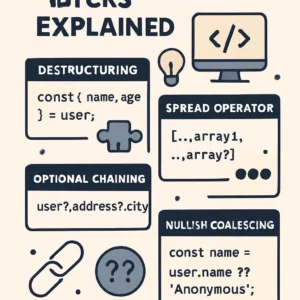
These patterns work everywhere and save keystrokes daily:
Nullish Coalescing vs Logical OR
const score = 0;
console.log(score || 100);  // 100 ❌ (wrong — 0 is falsy)
console.log(score ?? 100);  // 0 ✅ (correct — only null/undefined)
Optional Chaining
const user = { profile: { address: { city: "NYC" } } };
const city = user?.profile?.address?.city;  // "NYC"
const country = user?.profile?.address?.country;  // undefined (no error)
Logical Assignment
let config = null;
config ??= { debug: true };  // Assign only if null/undefined

let name = "";
name ||= "Anonymous";  // Assign if falsy
Array Destructuring Tricks
// Swap without temp variable
let a = 1, b = 2;
[a, b] = [b, a];

// Get head and tail
const [head, ...tail] = [1, 2, 3, 4];
// head = 1, tail = [2, 3, 4]
Debounce (Copy-Paste Utility)
const debounce = (fn, delay) => {
  let timeout;
  return (...args) => {
    clearTimeout(timeout);
    timeout = setTimeout(() => fn(...args), delay);
  };
};

// Usage
const search = debounce(query => fetch(`/api?q=${query}`), 300);
input.addEventListener("input", e => search(e.target.value));
What Should You Use Today?
| Feature | Status | Action |
|---|---|---|
| Object.groupBy() | ✅ Baseline | Use now, drop _. group By |
| Set operations | ✅ Baseline | Use now, drop custom utilities |
| Promise.withResolvers() | ✅ Baseline | Use now |
| JSON imports | ✅ Baseline (2025) | Verify bundler support |
| Iterator helpers | ✅ Baseline (2025) | Verify target browsers |
| Temporal API | ⚠️ Experimental | Use polyfill or wait |
The JavaScript ecosystem moves fast. These features are the ones I’ve shipped to production and haven’t regretted. Start with groupBy and Set operations—they have the best effort-to-impact ratio.

FAQ
Is Object. Is Group By() safe for production?
Yes. The baseline has been established since March 2024 for all modern browsers. For evergreen targets, no polyfill is required.
Should I drop Lodash entirely?
Not entirely. Native methods replace and _.cloneDeep (use structuredClone()). Keep Lodash for complex object manipulation or legacy browser support.
When will Temporal have full browser support?
It is unclear when Temporal will have full browser support; implementations are progressing, but they have not yet reached the baseline. Use temporal-polyfill for production today. The API is stable.
What’s the difference between “?? ” and “? “
?? The “??” operator only triggers when the left-hand operand is a falsy value (0, “”, false). Use ?? when 0 or an empty string is valid.
Are ES2025 features safe to use?
Most features are safe to use—JSON imports, RegExp.escape(), and iterator helpers reached baseline status in May 2025. Always verify your specific deployment targets.
How do I migrate from Moment.js?
For simple formatting, use. For complex logic: use temporal-polyfill and migrate incrementally. Temporal’s API is stable.