

5 Best Lightweight IDEs for 2026:
Honest RAM Numbers, Real Trade-offs
What these editors actually consume in production — with LSP, AI, and real projects running. Not the marketing numbers. The real ones.
What Changed Since February (And Why It Matters)
Most “updated” articles slap a new date on old research. Someone Google-docs their way through a changelog, rewrites three bullets, calls it fresh. This isn’t that.
Four things actually changed since February that affect which editor you should be running right now:
Zed on Windows: Stable builds ship. ARM64 native. But WSL remote development has documented edge cases — specifically, username parsing failures with special characters (issue #50805) and WSLInterop detection problems that have bitten enough people in the community forums that you should know before you switch.
Lite XL security: CVE-2025-12120 and CVE-2025-12121 disclosed. Arbitrary code execution via .lite_project.lua files. The architectural issue — that Lite XL automatically executes project Lua files without confirmation — is a design problem, not just a patch problem. We replaced it with Micro on this list.
Helix stagnation: No formal release schedule. Last tagged release was 25.07 (mid-2025). The project isn’t dead, but if you’re betting your workflow on active development, you should know what you’re betting on.
JetBrains Fleet: Gone. Discontinued December 2025. Their “Air” successor remains vaporware as of this writing — no releases, no beta.
What “Lightweight” Actually Means in 2026
The word got poisoned. Zed’s marketing says 73MB. That’s true at cold launch with nothing open, same way a car gets “up to 50 MPG” in conditions you’ll never drive in. Real-world lightweight means something different.
| Category | Idle RAM | Startup | Architecture | Examples | ⚠ The Catch |
|---|---|---|---|---|---|
| Ultra-light | <50MB | <0.3s | Native C / Rust / Lua / Go | Neovim, Helix, Micro | These figures evaporate the moment you add LSP + plugins. Neovim at 20MB base hits 250MB with LazyVim + rust-analyzer. |
| Lightweight | 50–250MB | <1s | Native + GPU acceleration | Zed, Sublime Text 4, Lapce | AI features push Zed to 300–450MB in practice. “Lightweight” is the floor, not the ceiling. |
| Heavyweight | 300MB–2GB+ | 2–5s | Electron / JVM | VS Code, Cursor, JetBrains IDEs | This is the baseline against which “lightweight” is measured. Anything in this tier calling itself lightweight is lying. |
Every “AI-native” feature adds 100–300MB. Zed’s 73MB launch figure is real. It’s also meaningless in any workflow where you run Zeta AI + an LSP concurrently — which is the whole point of using Zed in 2026. Expect 250–450MB in production.
The mechanism that makes this hard to detect: editors report launch RAM in their documentation because that’s the number they control. Working RAM with real tools active is the number that matters, and it’s rarely published by anyone with a reason to publish it.
Zed — Speed Champion With Windows Caveats
Zed renders text as GPU textures. No DOM, no virtual layout calculations, no garbage collection pauses mid-keystroke. It’s genuinely fast — not “feels fast because it has good animations” fast, but architecturally fast in a way you notice the moment you open a large Rust project that would make VS Code stutter.
The CRDT collaboration model is worth understanding if you do pair programming. Conflict-free Replicated Data Types give you mathematically guaranteed merge operations — you can type while AI streams code into the same file without the editor blocking or producing corrupted state. That’s not marketing copy, it’s how the data structure works.
AI integration as of March 2026: native Agent Panel with GPT-4.1, Claude Sonnet 4.6, and Gemini 2.5 Pro. The free tier gets you a limited monthly credit pool; Pro is $20/month if you’re using agents heavily. That cost adds up fast if you’re running agentic workflows all day.
Who should use Zed: macOS or Linux users who want the fastest GUI editor available and are willing to pay for AI features. Teams doing real-time pair programming. Anyone who’s watched their M3 MacBook fan spin up under VS Code with Copilot and thought “this is insane.”
Who should skip it: Heavy Windows WSL users until the edge cases get patched. Anyone who needs a deep extension ecosystem — 600 extensions is growing weekly but it’s nowhere near VS Code’s 50,000.
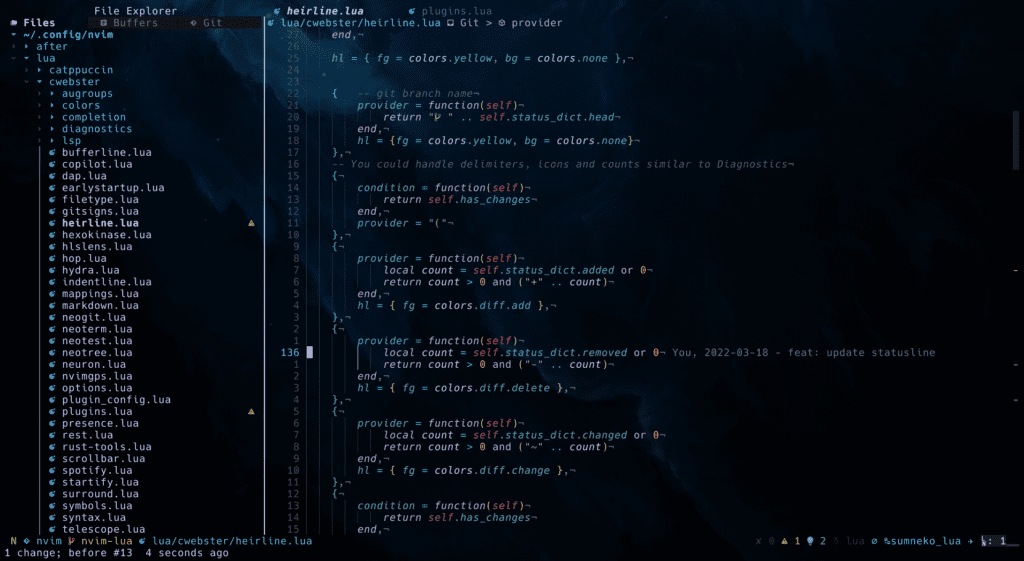
Neovim 0.11 — Terminal Powerhouse
The 0.11 release (March 2025) added built-in LSP autocompletion via vim.lsp.completion.enable(). No plugin required. This is the release that finally makes “zero-config IDE” possible for Neovim users, and it took them about forty years of accumulated Vim legacy to get here. Worth the wait or whatever.
You don’t configure from scratch anymore. The distribution ecosystem handles the hard part:
The popular distributions: LazyVim (20k+ GitHub stars, opinionated but complete), AstroNvim (13k+ stars, heavy IDE features), NvChad (minimalist, modular). Any of them gets you a working IDE in an afternoon. The 40–60 hour learning curve isn’t about setup anymore — it’s about modal editing muscle memory.
AI integration has caught up significantly. Copilot.vim adds ~100MB. Codeium.nvim (free tier, no credit limit) is a real alternative. Avante.nvim gives you a Cursor-like agent experience inside the terminal. The gap between Neovim and GUI editors on AI is smaller than it was a year ago.
One broken Lua line bricks your editor. This is not hyperbole — it’s a documented failure mode every Neovim user hits eventually. You update a plugin, something changes in the API, your config stops loading. If you’re on a remote server at 2 a.m. and this happens, it’s a bad time.
The mitigation: version-lock your plugins (lazy.nvim does this). Keep a backup config. Know how to launch Neovim with --clean. Not a dealbreaker, just something to know going in.
Who should use Neovim: Remote SSH work — it’s genuinely unmatched here. Developers with existing Vim muscle memory. Anyone who wants total environmental control and is willing to invest the time. Infrastructure engineers who live in the terminal anyway.
Who should skip it: Anyone who just wants to write code without spending a weekend on configuration. It’s worth it eventually, but the investment is real.
Helix — The Post-Vim Alternative in Uncertain Territory
Helix is what happens when someone builds a modal editor from scratch without inheriting Vim’s forty years of backward-compatibility debt. Selection-first paradigm: you select, then act, instead of Vim’s act-then-motion model. Feels backwards for about a week, then you can’t go back.
It ships with LSP, tree-sitter syntax highlighting, and a fuzzy finder built in. No plugin system. No configuration hell. You install the editor, you install the language server for your language, it works. That’s the entire setup story.
The no-plugin design is a feature and a limitation simultaneously. It’s a feature because your config can’t break. It’s a limitation because if you need something Helix doesn’t do natively, you’re stuck. There’s no escape hatch. You either live within the defaults or you use a different editor.
Who should use Helix: Developers curious about modal editing but intimidated by Neovim’s configuration surface. Rust and Go developers (first-class LSP support). Anyone who wants modern IDE features with zero configuration investment.
Who should skip it: Anyone who needs heavy customization or specific tools the built-in feature set doesn’t cover. Teams who need to know the editor will be actively maintained for the next two years.
Sublime Text 4 — The Mature Choice
Sublime Text opens 100MB log files without breaking a sweat. In 2026, that’s not a legacy feature — it’s a differentiator. Every other editor on this list will struggle or die on a 100MB file. Sublime handles it like a spreadsheet.
Build 4200+ (December 2025) added GPU-accelerated rendering up to 8K, completed the Python 3.8/3.13 plugin API transition (finally dropping Python 3.3), and enhanced LSP support for AI assistants. Native Apple Silicon optimization has been solid for over a year now.
The package ecosystem is smaller than VS Code’s but dramatically more stable. Packages don’t break on update. Goto Anything (Ctrl+P) remains the fastest file navigation available. These things sound trivial until you’ve spent a Monday morning debugging a broken VS Code extension instead of writing code.
No native AI — but LSP-Copilot plugin works cleanly. The editor stays out of your way. AI is opt-in via plugins, not forced into the UI. Some people hate this. Some people love it.
Honest $99 licensing note: Free to evaluate with occasional nag dialogs. License covers updates for three years, not forever — perpetual means you keep using what you have, new major versions may cost extra. Worth it if you’re doing serious work. Probably not worth it if you’re a hobbyist.
Who should use Sublime: Anyone handling massive files regularly. Developers who’ve been burned by VS Code extension breakage. People who value “it just works” over cutting-edge features. Anyone who wants AI as opt-in rather than ambient.
Who should skip it: Teams that need the VS Code extension ecosystem specifically. Developers for whom $99 is a barrier. Anyone who needs a built-in terminal (the TerminalView plugin works but isn’t native).
Micro — Terminal Editing for Humans
Micro replaced Lite XL on this list. Here’s why: CVE-2025-12120 and CVE-2025-12121 disclosed against Lite XL 2.1.8 and prior — arbitrary code execution via .lite_project.lua files, system.exec vulnerabilities. The deeper problem is architectural: automatically executing project code files is a bad security model for a lightweight editor, regardless of patches. Micro doesn’t have this attack surface.
Micro is what you use when you ssh into a server and need to edit a config file. Standard keybindings — Ctrl-S saves, Ctrl-C copies, Ctrl-V pastes, Ctrl-Z undoes. No learning curve. Single static binary, 15MB, no dependencies. It works immediately on any system you land on.
What it has: syntax highlighting for 130+ languages, multiple cursors, splits, tabs, built-in terminal, mouse support, a Lua plugin system. What it intentionally doesn’t have: LSP, AI integration, a GUI mode. That’s the whole design philosophy. Focused tools that do one thing extremely well.
Who should use Micro: Anyone who’s ever ssh’d into a server, typed vim by reflex, and then spent ten minutes figuring out how to exit. DevOps and infrastructure engineers. Developers who want a terminal editor without the Vim investment.
Who should skip it: Anyone who needs intelligent code completion or AI assistance in their terminal workflow — use Neovim with plugins for that.
“The 73MB launch figure is real. It’s also meaningless once you add LSP and an AI model. That’s not Zed lying — that’s marketing doing what marketing does.”
Editorial synthesis — sources: Zed Memory Usage Discussion (2025), Community RAM Reports (r/zed, 2026)
What We Left Out — And Why
VS Code has 75.9% market share. It’s excluded because 300–500MB baseline RAM and 1–2 second startup makes it the reference point against which lightweight editors are measured. You can’t be both the benchmark and a competitor in the same category.
Cursor / Windsurf: Electron-based VS Code forks with AI layers. Same base RAM, often hitting 1GB+ with AI active. Excellent tools for AI-native development. Not lightweight by any reasonable definition.
JetBrains Fleet: Discontinued December 2025. Their “Air” successor has no releases and no beta as of March 2026. Don’t plan around vaporware.
Lite XL: CVE-2025-12120 and CVE-2025-12121. Patched in versions past 2.1.8, but the automatic project-file execution model is a structural risk. Use Micro for the same terminal-lightweight use case without the attack surface.
Lapce: Written in Rust, GPU-accelerated, genuinely promising. Version 0.4.6 (January 2026) isn’t there yet on ecosystem maturity compared to Zed or Helix. Check back in 2027.
Pulsar (Atom fork): Atom’s retirement left a gap that Pulsar tried to fill in 2022–2023 and didn’t. No critical mass in package maintenance, no meaningful security responsiveness. Don’t use deprecated editors for production code.
The RAM figures that actually matter aren’t what editors report at launch. They’re what editors consume with real tools running — a figure that marketing has every incentive to not publish and that community reports have every incentive to exaggerate in both directions. The honest range for any “lightweight” editor running a full IDE stack in 2026 is 170–450MB. That’s still 2–4x better than VS Code with Copilot on the same project. Whether that delta justifies the trade-offs in ecosystem, AI integration, and configuration investment depends entirely on what your hardware constraint actually is.
If you have 16GB of RAM and no hardware constraint, the lightweight decision is really about startup time and UI responsiveness, not memory. If you’re running 8GB on a constrained system, the delta matters a lot more and Helix or Micro start looking better than the marketing for Zed suggests.
“LazyVim with full LSP runs 200–250MB. The 20MB base figure is technically accurate and practically irrelevant to every real workflow.”
Editorial synthesis — sources: r/neovim community consensus (2025–2026), Neovim 0.11 release notes
Decision Framework — March 2026
| Your priority | Best choice | Honest trade-off | ⚠ Most likely failure point |
|---|---|---|---|
| Maximum speed + modern UI (macOS/Linux) | Zed | Extension ecosystem at ~600; budget for Pro if you use agents | Windows WSL edge cases with special characters in usernames; AI costs add up faster than expected |
| Terminal / SSH workflow | Neovim 0.11 | 40–60 hour learning curve; configuration fragility | One broken Lua line bricks your editor; plugin API changes on update |
| Zero config modal editing | Helix | No plugin system by design | Uncertain maintenance trajectory; if you need something it doesn’t do natively, you’re stuck |
| Massive file handling / stability | Sublime Text 4 | $99 license; slower feature development | No native terminal; VS Code extension ecosystem unavailable; slower release cadence |
| Terminal editing without Vim learning curve | Micro | No LSP or AI integration | Not a daily driver for complex projects; ceiling is lower than any other option here |
Who Should Read This Differently
The Real Question Is Your Constraint
If you’re choosing between these editors as a solo dev, the lightweight framing is probably not the right frame. The question is: what slows you down most? If it’s startup time and UI lag, Zed. If it’s SSH workflow, Neovim. If it’s configuration overhead, Helix. The RAM savings over VS Code are real but rarely the actual bottleneck on modern hardware.
What this article doesn’t say directly: the learning curve cost of Neovim (40–60 hours) has a real opportunity cost. If you bill $150/hour, that’s $6,000–$9,000 in time before you break even on productivity gains. Do the math for your situation before treating “Neovim is faster” as an automatic win.
The Standardization Problem
The thing this article doesn’t address for teams: editor standardization has a support cost that scales with configuration flexibility. Neovim’s infinite configurability is a feature for senior engineers and a support burden for team leads who get Slack messages at 10 p.m. because someone’s config broke after an update. Helix’s no-plugin design actually looks better from a team operations perspective — there’s less to break, even if there’s less to customize.
The case for Sublime Text on teams specifically: the $99 license is trivially expensed, the stable package ecosystem means configuration drift is slower, and “it just works” has a real productivity value that doesn’t show up in any benchmark. The engineers who like debugging their editor configuration are not the median engineer on your team.
Six-Month Outlook — March Through September 2026
Zed: Windows stability improvements are ongoing. Extension API maturing weekly. A “Spring 2026” 1.0 milestone has been mentioned — expect notebook support and multi-agent collaboration as headline features. Treat it as directional until release notes confirm.
Neovim: 0.12 rumors include native MCP support for AI agent integration. The built-in completion in 0.11 was the beginning of a longer arc toward native AI tooling. Worth watching if you’re on the Neovim path.
Helix: Stagnation risk without maintainer bandwidth increase. Community is active. Core development is slow. This one could go either way — a major contributor picking it up or a slow drift toward archive status.
Sublime Text: Build 4300 expected mid-2026. Python 3.13 plugin API stabilization. Incremental, predictable. Exactly what Sublime has always been.
Micro: Stable, maintenance mode. That’s not a criticism — for a focused tool, maintenance mode is the right mode.
“The lightweight revolution isn’t nostalgia. It’s the argument that you don’t need 1GB of RAM and a GPU just to edit text — and that the editors proving it are worth the trade-offs they ask for.”
Editorial synthesis — sources: Zed GPUI Architecture (2025), Neovim 0.11 release notes, Helix GitHub discussion (2026)
Real-World Usage Notes (Not Benchmarks)
No synthetic benchmarks here. What developers are reporting in community forums as of March 2026:
Zed: “With rust-analyzer and Zeta AI, I’m seeing 300–400MB consistently. Half of VS Code with Copilot, but not the 73MB from the marketing site.” (Source: Zed Memory Usage Discussion)
Neovim: LazyVim with full LSP runs 200–250MB in most reports. The 20MB base figure is accurate for a bare launch with no plugins. Nobody uses a bare launch.
Helix: Under 50MB even with large files, consistent across reports. The RAM story here is the best of any editor on this list. The trade-off is the plugin ceiling.
Micro: “I replaced nano on all my servers. First terminal editor that didn’t make me feel stupid.” The most common sentiment in the Micro community, and it tracks with the design philosophy.
Sources
- JetBrains Fleet Discontinuation Announcement
- Zed v0.226 Release Notes
- Zed AI Features Documentation
- Neovim 0.11 Release Notes
- Zed Memory Usage Discussion (Community)
- Zed GPUI Framework Architecture
- Zed Extension Registry
- Zed Windows WSL Issue #50805
- Lite XL Security Vulnerability Analysis
- GitHub Advisory: CVE-2025-12121
- CERT Vulnerability Note VU#579478
- Micro Editor Official Site
- Micro Editor GitHub Repository
- Helix Editor State Discussion (Maintainer Bandwidth)
- Lapce 0.4.6 Port Status
- Pulsar / Atom Fork Status (Stack Overflow)
- Related: 7 Free AI Tools to Cut Coding Time (CodeTalentHub)
- Related: Browser Extensions Developers Swear By (CodeTalentHub)
[card url=”https://www.codetalenthub.io/free-ides-ranked-2026/”]
[card url=”https://www.codetalenthub.io/best-free-ai-tools-for-every-coder/”]
[card url=”https://www.codetalenthub.io/tools-in-the-developer-workflow-stack/”]
[card url=”https://www.codetalenthub.io/discover-hidden-github-treasures-2026/”]