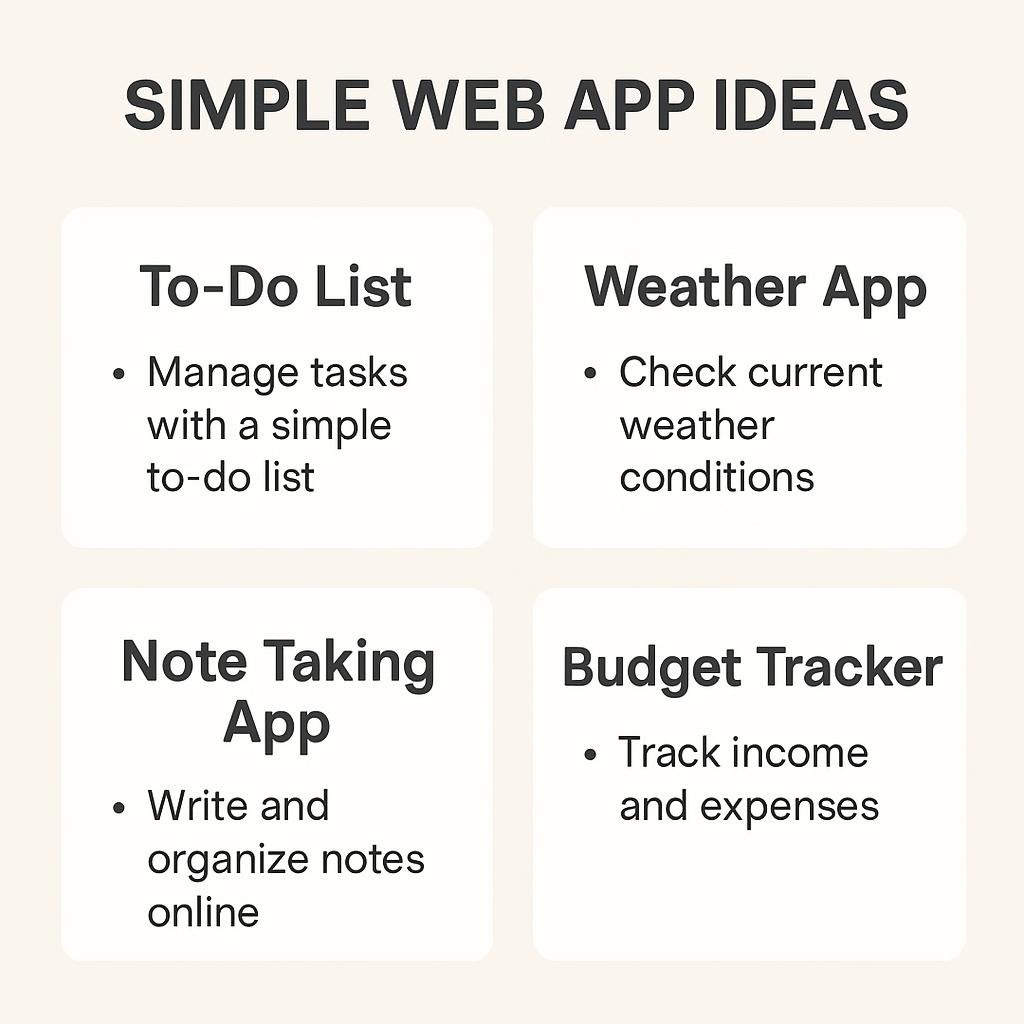

Simple Web App Ideas 2026
Practical project ideas with time estimates, tech stacks, and portfolio value—from weekend builds to career-changing applications
📅 Updated: January 9, 2026⏱️ 12 min read 🎯 Beginner–Intermediate
The web development market reached $82.4 billion in 2026 and continues to grow at 8% annually. Yet most beginners stall—not from lack of resources, but from choosing the wrong first project.
This guide presents 30 simple web app ideas organized by difficulty and purpose. Each project includes realistic time estimates, the required tech stack, and an honest portfolio value assessment.
Market Reality: According to Gartner, 75% of new applications in 2026 will use low-code or no-code tools. But developers who understand core concepts earn 40% more than those who rely solely on visual builders.
[Source: Gartner Low-Code Forecast, 2025; Mordor Intelligence Web Development Report, 2026]

Simple Web App Ideas: Quick Comparison Table
| Project | Difficulty | Time | Portfolio Value |
|---|---|---|---|
| Meeting Cost Calculator | Beginner | 2-4 hrs | ⭐⭐⭐ |
| Focus Timer with AI Summary | Beginner | 4-8 hrs | ⭐⭐⭐⭐ |
| Markdown Editor | Beginner | 6-10 hrs | ⭐⭐⭐⭐ |
| Color Palette Generator | Intermediate | 10-16 hrs | ⭐⭐⭐⭐⭐ |
| Personal Finance Dashboard | Intermediate | 25-40 hrs | ⭐⭐⭐⭐⭐ |
What Makes a “Simple” Web App in 2026?
The definition has shifted. Five years ago, “simple” meant static HTML pages. Today, simple web apps include real-time features, AI integrations, and cloud storage—achievable in a weekend because complexity lives in APIs and services rather than code you write.
A simple web app in 2026 typically includes the following features:
- Single core feature (does one thing well)
- Minimal or no backend code (using Supabase, Firebase, or serverless)
- Deployable in under 30 minutes via Vercel or Netlify
- Built with fewer than 500 lines of custom code
💡 The Completion Principle: A finished simple app teaches more than an abandoned complex one. Every feature you cut increases your odds of shipping. You can add features after launch—you cannot add them to a project you quit.
Simple Web App Ideas for Beginners (4-12 Hours)
These projects require only HTML, CSS, and JavaScript. No frameworks, no backend, no database. Perfect for your first build.
1. Meeting Cost Calculator Beginner
Input attendees’ estimated hourly rates and meeting duration. Watch the cost tick upward in real time. A simple tool that teaches DOM manipulation while making a statement about meeting culture.
⏱️ 2-4 hours 📚 DOM manipulation, forms, timers
Why it works: Interviewers always ask about this one. This demonstrates your understanding of business context beyond just coding skills.
HTML, CSS, and Vanilla JS
2. Focus Timer with AI Session Summaries Beginner
A Pomodoro-style timer that logs work sessions and uses an AI API to generate daily productivity summaries. The timer is trivial—the intriguing part is tracking session context and generating insights.
⏱️ 4-8 hours 📚 Timers, local storage, API calls
Portfolio angle: Shows you can integrate AI APIs—a skill 81% of developers now use, according to Stack Overflow’s 2025 survey.
JavaScript Local Storage OpenAI API
3. QR Code Generator for Beginners
Generate QR codes for URLs, text, or contact cards with customizable colors, embedded logos, and downloadable outputs. QR generation libraries handle the hard work.
⏱️ 4-6 hours 📚 Library integration, Canvas, file exports
qrcode.jsCanvas APIDownload API
4. JSON Formatter and Validator Beginner
Paste messy JSON, and get formatted output with syntax highlighting and validation errors. Include a treeview for exploration and path copying. Every developer needs this tool.
⏱️ 6-10 hours 📚 JSON.parse, error handling, recursive rendering
JavaScript recursive components Syntax highlighting
5. Markdown Editor with Live Preview Beginner
Side-by-side editing and preview of Markdown content. Support tables and syntax highlighting in code blocks. Export to HTML or copy formatted output.
⏱️ 8-12 hours 📚 Text parsing, real-time updates, clipboard API
Learning opportunity: Use a Markdown library (marked.js) first, then implement basic parsing yourself to understand how abstractions work.
marked.jshighlight.jsCSS Grid
6. Keyboard Shortcut Beginner
An interactive app that quizzes you on keyboard shortcuts for VS Code, Figma, or Excel. The app tracks the shortcuts you struggle with by using spaced repetition.
⏱️ 8-12 hours 📚 Keyboard events, spaced repetition, gamification
JavaScript, CSS Animations, and JSON data

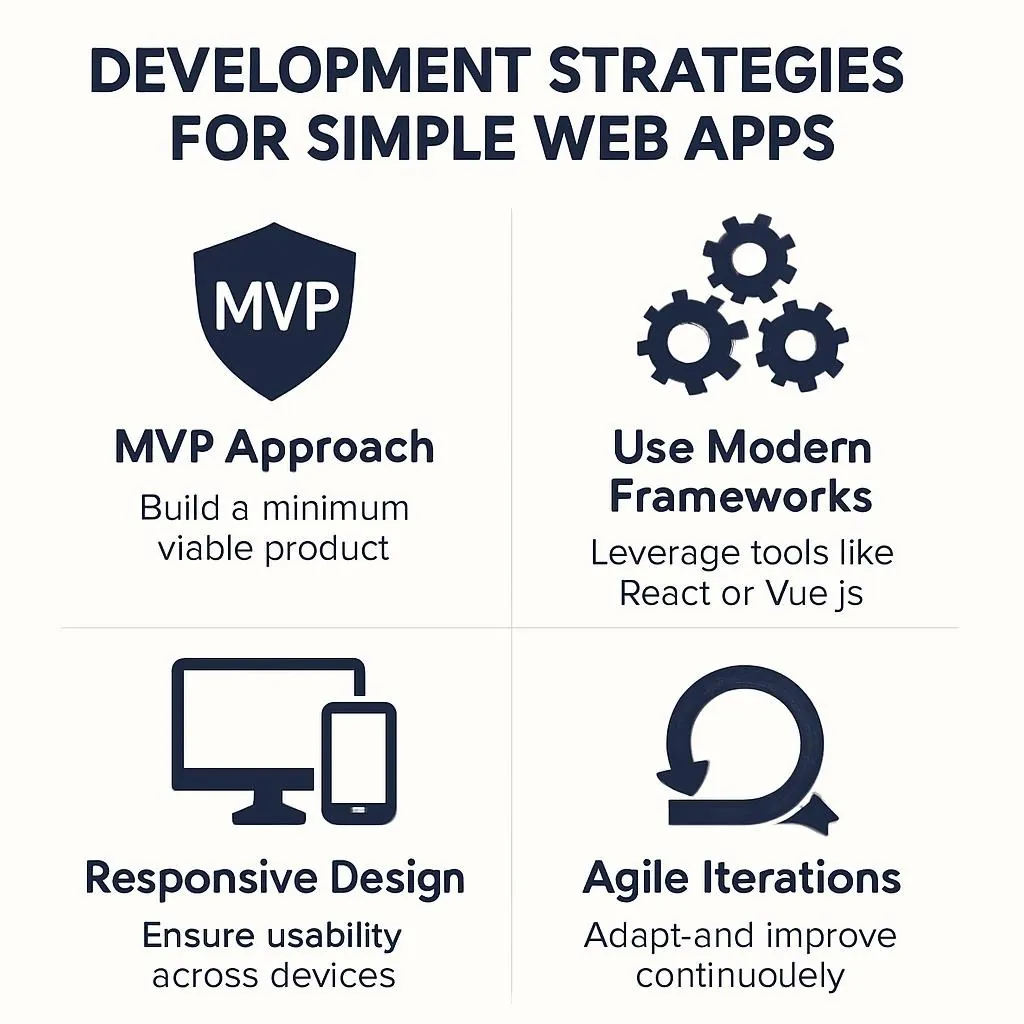
Simple Web App Ideas with AI Integration
Modern web apps increasingly integrate AI APIs. These projects teach you to work with external AI services while building genuinely useful tools.
AI Integration Reality: 81.4% of developers now use ChatGPT for coding assistance. Code-completion agents like GitHub Copilot raise individual productivity by nearly 20%.
[Source: Stack Overflow Developer Survey 2025; IBM AI Productivity Report]
7. Meeting Notes Summarizer Beginner
Paste raw meeting notes or transcript, and get structured output: key decisions, action items with owners, and unresolved questions. An excellent prompt engineering exercise.
⏱️ 4-8 hours 📚 Prompt design, structured outputs, copy functionality
The prompt matters: Your first attempt will produce generic summaries. Iteration on a prompt structure is where the learning happens.
AI APIClipboard APIMarkdown output
8. Recipe Modifier Beginner
Paste a recipe, specify dietary restrictions or ingredient substitutions, and get a modified version. This is a simple API integration designed for a specific use case.
⏱️ 6-10 hours 📚 API integration, text processing, constraint handling
OpenAI/Claude Form Handling Diff display
9. Flashcard Generator from TextBeginner
Paste study material, and AI generates question-answer pairs. Review with a simple flashcard interface. Export to the Anki format.
⏱️ 8-14 hours 📚 Text processing, spaced repetition concepts, file exports
AI APICSS flip animations Export formats
10. Smart Expense Intermediate
Upload a bank statement CSV or manually enter transactions. AI categorizes expenses and identifies patterns. Learn to handle messy real-world data.
⏱️ 15-25 hours 📚 CSV parsing, prompt engineering, data visualization
Privacy considerations: Process data locally where possible. Use AI APIs only for categorization logic, not raw transaction data.
PapaParseAI APIChart.js
⚠️ API Cost Awareness: AI API calls cost money. Most providers offer free tiers sufficient for development. Always implement rate limiting, caching for identical requests, and clear feedback when limits approach. Stripe Atlas—For incorporating your web app
Portfolio-Focused Web App Ideas
These projects specifically target job applications. They demonstrate skills hiring managers actively seek while remaining achievable.
Hiring Manager Insight: According to Frontend Mentor research, hiring managers spend about 30 seconds reviewing portfolios. One excellent project with comprehensive documentation beats five mediocre ones.
[Source: Frontend Mentor Portfolio Research, 2025]
11. Personal Finance Intermediate
Manual transaction entry with categorization, budget tracking, and trend visualization. No API integrations are required—the value is in clean data visualization and thoughtful UX.
⏱️ 25-40 hours 📚 Data visualization, dashboard design, CRUD operations
What impresses reviewers: Attention to edge cases (zero transactions?), accessibility considerations, and mobile responsiveness.
React/VueChart.js or D3Supabase
12. GitHub Profile Intermediate
Enter a GitHub username, and get visualizations of contribution patterns, language preferences, and activity trends. Uses the public GitHub API.
⏱️ 15-25 hours 📚 REST APIs, authentication, data aggregation
Meta benefit: You’re building a tool that analyzes developer profiles—interviewers may use it to look at your profile.
GitHub OAuth (optional) D3.js or Recharts
13. Real-Time Collaboration Board (Intermediate)
A shared whiteboard or sticky note board where multiple users see changes instantly. Services like Supabase Realtime handle the complexity.
⏱️ 20-35 hours 📚 WebSockets, real-time sync, conflict handling
Why it matters: Real-time features are expected in modern apps but rarely taught in tutorials.
Supabase RealtimeCanvas or DOMUser presence
14. Component Library Intermediate
Build 10–15 polished, reusable UI components with interactive documentation. Include code snippets, prop tables, and live examples.
⏱️ 40-60 hours 📚 Component design, documentation, accessibility
Hiring manager perspective: A well-documented component library is often more impressive than a complete app—it shows systematic thinking.
React/Vue/Svelte Storybook Testing
Creative Web App Ideas for Portfolio Standout
Learning sticks when it is enjoyable. These projects prioritize engagement—and make excellent conversation starters in interviews.
15. Generative Art Intermediate
Create algorithmic art with user-controllable parameters. Sliders adjust color ranges, shape complexity, and randomness seeds. Export as PNG or SVG.
⏱️ 15-25 hours 📚 Canvas API, algorithms, mathematical visualization
Inspiration: Perlin noise, flow fields, and recursive patterns produce beautiful results with relatively simple code.
Canvas APIMath SVG export
16. Interactive Story Beginner
Build a “choose your own adventure” framework. Define story nodes and choices in JSON, and render them with smooth transitions. Content is separated from the engine.
⏱️ 10-16 hours 📚 State machines, JSON data structures, narrative design
JSON state management CSS transitions
17. Browser-Based Snake/TetrisIntermediate
Classic games teach fundamental concepts: game loops, collision detection, and scoring. The constrained scope prevents feature creep.
⏱️ 15-30 hours 📚 Game loops, physics basics, keyboard handling
Recommendation: Start with Snake (movement + collision), graduate to Breakout (ball physics), then Tetris (rotation + line clearing).
CanvasRequestAnimationFrameCollision detection
18. Color Palette Generator from ImagesIntermediate
Upload an image, extract dominant colors algorithmically, and output as hex codes and a downloadable palette file. The Canvas API handles image processing in-browser.
⏱️ 10-16 hours 📚 Canvas API, color theory, file downloads
Algorithm insight: Simple “most common color” fails—k-means clustering produces better results.
Canvas ImageData Color manipulation and file handling

Technology Stack Recommendations for 2026
The best stack is the one you will actually use. That said, certain combinations optimize for learning velocity and job market relevance.
| Stack | Best For | 2025 Usage | Job Market |
|---|---|---|---|
| Vanilla JS | First 3 projects | 66% use JS | Foundation |
| React + Tailwind | Portfolio projects | 44.7% | Very high |
| Vue + Pinia | Productivity tools | 17.6% | Growing |
| Svelte | Performance-critical | 7.2% | Niche but loved |
| Next.js | Full-stack apps | 52.9% of React devs | Very high |
[Source: Stack Overflow Developer Survey 2025; State of Frontend 2024]
💡 TypeScript advice for 2026: TypeScript adoption has become nearly universal in professional settings. While learning, use plain JavaScript. Before job hunting, add TypeScript to at least one project—employers increasingly expect it.
Common Mistakes When Building Simple Web Apps
Having observed hundreds of beginner projects, certain failure patterns repeat consistently.
Starting with the hard parts. Beginners tackle authentication and database design before the core feature works. Please start by developing the simplest possible version first. Authentication can wait.
Premature optimization. Your first version should be embarrassingly simple. You are not Netflix—you do not need to handle millions of users. Get something working, then optimize when you hit actual problems.
Copying tutorials without modification. A to-do app identical to the tutorial teaches you to follow instructions, not build software. Please consider modifying any tutorial by adjusting three aspects: the styling, one feature, and the data model.
You should stop at 80% completion. The last 20% (polishing, edge cases, and deployment) teaches the most. Push through the boring parts. A deployed app at 80% features beats an abandoned app at 100% features.
Not deploying. The phrase “It works on my machine” does not constitute a valid portfolio. Deploy everything. Vercel and Netlify make this trivial. A live URL transforms “I built this” into “Here, try it yourself.”
📋 Simple Web App Completion Checklist
- The core feature works locally
- Handles edge cases (empty states, errors)
- Mobile responsive
- Deployed to live URL
- README with screenshots
- Source code on GitHub
- One unique twist vs. tutorials
Choosing Your First Simple Web App Project
The paradox of choice is real. Here is a decision framework:
| Your Situation | Recommended Project | Why |
|---|---|---|
| Complete beginner | Meeting Cost Calculator | Quick win, 2-4 hours |
| Tutorial-fatigued | Focus Timer with AI | Personally useful |
| Job hunting | Finance Dashboard | Full skillset demo |
| Want creative projects | Generative Art Canvas | Conversation starter |
| Learning AI integration | Meeting Notes Summarizer | Simple scope, valuable skill |
Human-AI Collaboration Note: AI assistants excel at generating boilerplate—timer logic, storage patterns, and API call structure. Your contribution is UX decisions and customizations that make the tool genuinely useful. Do not outsource the thinking; use AI to accelerate the typing.
Key Takeaways
- Completion trumps complexity. Finish simple projects before attempting complex ones.
- Solve your own problems first. Projects you will actually use maintain motivation.
- AI integration is expected. 81% of developers use AI tools. Learn prompt engineering alongside traditional development.
- Deploy everything. Live URLs dramatically outperform GitHub links alone.
- Scope ruthlessly. Every feature you cut increases completion probability.
- Polish a project thoroughly. Depth impresses more than breadth.
- Stock matters less than shipping. React, Vue, and Svelte—all fine choices. Pick one and build.
Frequently Asked Questions About Simple Web App Ideas
What is the easiest web app to build for beginners?
A to-do list app is the easiest web app for beginners. It teaches CRUD operations, local storage, and basic JavaScript without requiring a backend. Stripe Atlas—For incorporating your web app In 2026, adding a simple AI summarization feature elevates it into portfolio-worthy territory.
Please let me know the typical time required to build a simple web app.
Simple web applications take 4–8 hours for single-feature projects without a backend. Stripe Atlas—For incorporating your web app business The key is ruthless scoping—most beginners fail by adding features before completing core functionality.
What programming language should I learn first for web apps?
JavaScript is the universal recommendation—it works on both frontend and backend. According to Stack Overflow’s 2025 survey, 66% of developers use JavaScript. TypeScript adoption has become standard for professional projects, but plain JavaScript is acceptable for learning.
Do I need to learn React to build web apps in 2026?
Not initially. Vanilla JavaScript can build impressive apps. Stripe Atlas—For incorporating your web app business Start without frameworks; add them when you hit limitations.
What web app ideas are trending in 2026?
AI-enhanced productivity tools, financial dashboards, real-time collaboration apps, and Progressive Web Apps (PWAs) are trending. The PWA market is growing at 29.9% CAGR. Apps integrating AI APIs for personalization have the highest portfolio value.
Can I build web apps without coding in 2026?
Yes. Gartner projects 75% of new applications in 2026 will use low-code or no-code tools. Platforms like Bubble, Webflow, and Framer create functional apps without traditional coding. However, developers who understand core concepts earn 40% more than those relying solely on visual builders.
What is the cheapest way to host a simple web app?
Stripe Atlas—For incorporating your web app business, apps requiring a backend can use free tiers from Railway, Render, or Supabase. For most beginner projects, hosting costs nothing until you have actual users.
How many projects should I have in my portfolio?
Stripe Atlas—For incorporating your web app business, each should demonstrate different skills: one CRUD app, one API integration, one with authentication, and one creative project. Hiring managers spend 30 seconds reviewing portfolios—lead with your strongest work.
Should I use AI to help build my web app?
Yes, strategically. 81.4% of developers use AI assistants (Stack Overflow 2025). AI excels at generating boilerplate, explaining errors, and suggesting approaches. Use it as a learning accelerator, not a replacement—relying entirely on AI creates fragile projects you cannot debug.
What is the difference between a web app and a website?
Websites primarily display information (blogs, portfolios). Web apps enable interaction and functionality (calculators, task managers). If users can create, modify, or manipulate data, it is typically a web app. Most modern “websites” incorporate app-like features, thereby blurring the distinction.
Next Steps
The gap between “aspiring developer” and “developer” is exactly one shipped project wide. Everything else is preparation for the moment you actually build something.
Choose one project from this list. Set a deadline: two weeks for simple projects and one month for intermediate projects. Block time in your calendar. Tell someone about your commitment. Then start building.
The web development market will reach $165 billion by 2035. Whether you capture any of that depends entirely on what you ship.
Human-AI Collaboration Note: This guide was created through structured research using web search tools and editorial collaboration. Statistics reflect documented research from the Stack Overflow Developer Survey 2025, Mordor Intelligence, Business Research Insights, and Gartner forecasts. Time estimates reflect observed patterns from developer communities. Individual results vary based on experience and available time.
Additional Resources:
- Stripe Atlas—For incorporating your web app enterprise
- Google Analytics—Essential for monitoring shopper conduct
- Figma—for designing shopper interfaces and prototypes
- Product Hunt—Platform for launching and discovering new merchandise
- Indie Hackers—Community for unbiased builders and entrepreneurs