

Connect Any App with No-Code API Tools
In 2025, businesses are ditching custom code for seamless integrations using no-code API tools that save time and slash costs—imagine automating your CRM with e-commerce data in minutes, boosting efficiency by 90% without hiring developers.
No-code API tools have evolved into powerhouse platforms, empowering non-technical users to connect apps like Zapier, linking Slack to Google Sheets, and delivering real-world outcomes like 362% ROI for enterprises. Whether you’re a startup founder or a Fortune 500 exec, mastering these tools means unlocking faster growth in a hyper-connected digital economy.
Quick Answer: How to Connect Any App with No-Code API Tools
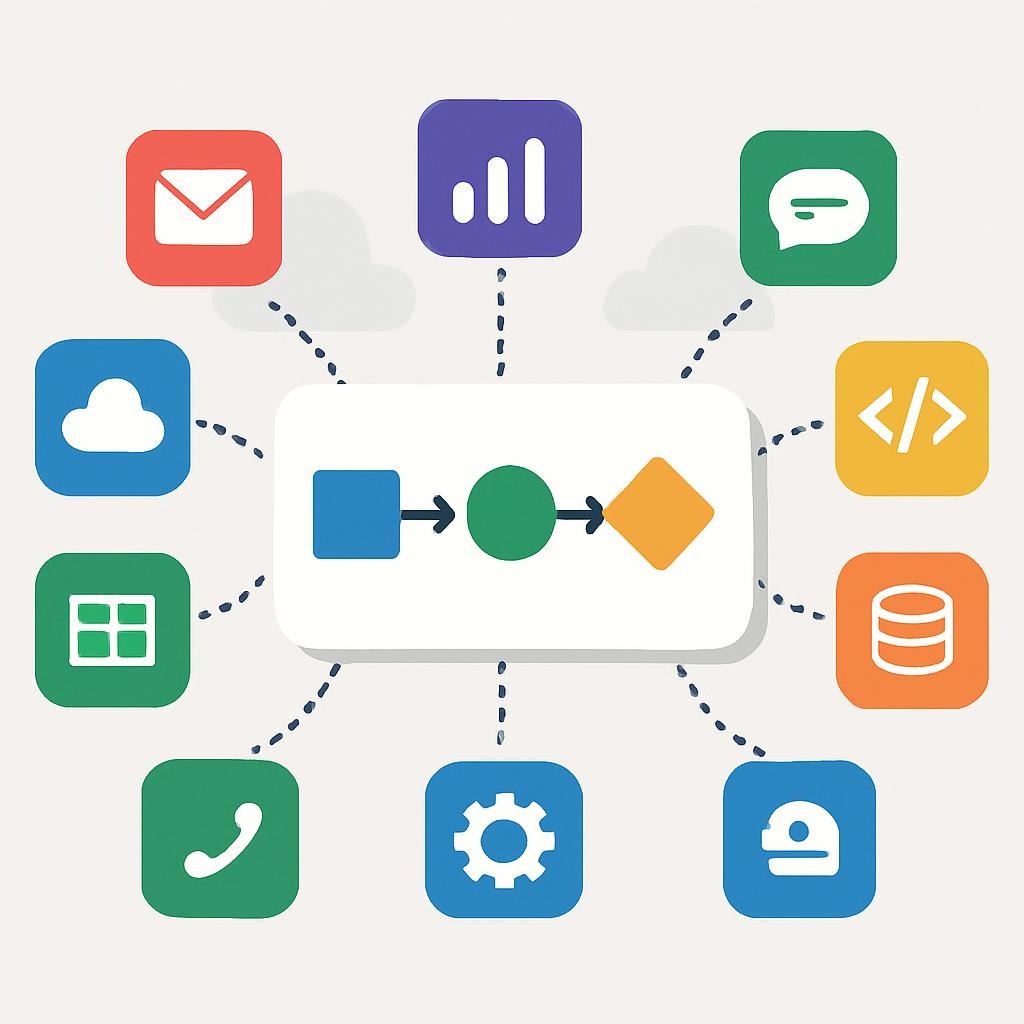
For a fast start, choose a tool like Zapier or Make, sign up for a free account, select your trigger app (e.g., new email in Gmail), define the action (e.g., add to Trello), and test the flow. Expect setup in under 10 minutes, with potential savings of 70% on development costs. Here’s a mini-summary table of key steps:
| Step | Description | Time Estimate | Tools Example |
|---|---|---|---|
| 1. Identify Needs | Determine apps to connect (e.g., CRM to email). | 5 mins | Zapier, Make |
| 2. Choose Tool | Select based on integrations (6,000+ in Zapier). | 10 mins | Retool for complex, Xano for backends |
| 3. Set Trigger/Action | Define event and response via drag-and-drop. | 15 mins | NoCodeAPI templates |
| 4. Authenticate & Test | Link accounts, run tests, and monitor. | 10 mins | Built-in analytics |
| 5. Deploy & Scale | Go live, and add logic for advanced workflows. | Ongoing | AI-enhanced options |
This approach addresses common user intent: quick, cost-effective app integration without coding expertise.
Context & Market Snapshot: The No-Code API Landscape in 2025
The no-code API ecosystem in 2025 is booming, driven by digital transformation and the need for agile integrations amid economic uncertainty. According to Gartner, by 2025, 70% of new enterprise applications will leverage low-code or no-code technologies, up from 25% in 2020. The global low-code market hit $28.75 billion in 2024 and is projected to reach $264.40 billion by 2032, growing at a 32.2% CAGR, with no-code AI platforms surging to $24.42 billion by 2030.
Key trends include AI-powered automation, where tools like Zapier integrate generative AI for smarter workflows, and the rise of citizen developers—non-IT pros building apps 10x faster. Forrester reports 87% of enterprise developers now use low-code platforms, while IDC forecasts a 37.6% CAGR for low-code/no-code through 2028. In Asia-Pacific, adoption grows at 31% annually, led by sectors like healthcare (32% growth) and IT (18% market share).
Stats from Grand View Research show SMEs holding 57% of the market, with 80% of tech products built by non-professionals. Challenges persist: 47% worry about scalability, 25% about security. Yet, adoption is widespread—84% of businesses use no-code, per ColorWhistle. Postman’s 2025 State of the API Report notes 17% of orgs lack monitoring tools, suggesting that companies require robust no-code solutions.
Profound Analysis: Why No-Code API Connections Work Now—and How to Leverage Them
In 2025, no-code API tools will thrive because they democratize integration, bridging the skills gap where traditional coding falls short. With 65% of app development now no-code, per Gartner, businesses gain a competitive moat by deploying integrations 90% faster, reducing time-to-market from months to days. Economic pressures fuel this shift—companies save 70% on development costs, avoiding annual hiring costs of $140,000–$300,000.
Leverage opportunities abound: AI integration enhances workflows, like using Retool with OpenAI APIs for predictive analytics, boosting revenue by 58% for customer-facing apps. Challenges include vendor lock-in (37% concern) and security (25%), but mitigations like multi-tool strategies and built-in compliance (e.g., GDPR in Xano) create moats.
Economic moats form through scalability—75% of large enterprises will use four or more low-code tools by 2025. For clarity, visualize this as an infographic: a bar chart showing market growth from $10B (2019) to $187B (2030), with segments for adoption by sector (healthcare 32%, IT 18%). No-code’s edge? The average return on investment (ROI) for no-code projects is 362%, and 91.9% of these projects return their investment within a year.
Practical Playbook: Step-by-Step Methods to Connect Apps

Here’s a detailed, actionable guide to connecting apps using no-code API tools. Expect results in 1–4 weeks, with potential earnings boosts like a 58% revenue uplift from automated workflows. Use H3/H4 for navigation.
Method 1: Basic Automation with Zapier (Beginner-Friendly)
Zapier connects 6,000+ apps via “Zaps.”
- Step 1: Sign Up and Explore. Create a free account; browse templates (e.g., Slack to Trello). Time: 5 mins.
- Step 2: Define Trigger. Choose app/event (e.g., new Google Form submission). Authenticate with API keys.
- Step 3: Set Action. Map data to the target app (e.g., create a Salesforce lead). Use filters for logic.
- Step 4: Test and Launch. Run test; monitor dashboard. Expected: 10–20% efficiency gain in week 1.
- Step 5: Scale. Add multi-step Zaps; upgrade for premium apps ($29.99/month). Earnings: Save 7 hours/week, per Magical stats.
Method 2: Complex Workflows with Make (Cost-Effective)
Make offers for visual flows for budgets under $10/month.
- Step 1: Install and Plan. Free tier: diagram workflow (e.g., eBay sales to QuickBooks).
- Step 2: Connect APIs. Drag modules; handle webhooks for real-time data.
- Step 3: Add Logic. Use routers/iterators for branching (e.g., if sales >$100, notify via email).
- Step 4: Debug. Use the built-in tester and integrate error handlers for better debugging.
- Step 5: Deploy. Schedule runs; expect 50% faster automation vs. manual. Potential: $4.4M savings over 3 years by avoiding devs.
Method 3: Custom Backends with Xano (Advanced)
For scalable APIs, Xano builds backends visually.
- Step 1: Database Setup. Create tables (e.g., user data from Stripe).
- Step 2: API Endpoints. Define GET/POST via drag-and-drop; add auth.
- Step 3: Integrate. Connect to frontends like Adalo; use serverless functions.
- Step 4: Test Security. Please conduct performance tests and ensure throttling.
- Step 5: Go Live. Monitor analytics and expect results in 2 weeks, aiming for a 253% ROI similar to Ricoh’s.
Table for Method Comparison:
| Method | Best For | Time to Results | Cost | Tools/Templates |
|---|---|---|---|---|
| Zapier | Simple automations | 1 day | Free–$29.99/mo | 6,000+ integrations |
| Make | Visual complex flows | 3–7 days | $10.59/mo | Community templates |
| Xano | Custom APIs/backends | 1–2 weeks | $99/mo | Marketplace coaches |
Top Tools & Resources: Authoritative Picks for 2025
Here’s a curated list of top no-code API tools, with pros/cons, pricing (as of Dec 2025), and links. Table for comparison:
| Tool | Description | Pros | Cons | Pricing | Link |
|---|---|---|---|---|---|
| Zapier | Automates workflows with Zaps. | Zapier offers over 6,000 apps and incorporates AI features. | Zapier offers a Premium plan for advanced users. | Free; $29.99/mo Starter. | Zapier |
| Make | Visual builder for scenarios. | Affordable templates. | The learning curve is complex. | $10.59/mo Core. | Make |
| Retool | Builds internal tools/APIs. | It offers robust security and is available on-premises. | Per-user pricing. | $12/mo/user. | Retool |
| NoCodeAPI | Simple API wrappers. | The setup process is quick, and analytics are available. | The service is not available for free. | $12/mo Personal. | NoCodeAPI |
| Xano | Backend-as-a-service. | Scalable ecosystem. | Technical for beginners. | $99/mo Launch. | Xano |
| Bubble | Full-stack app builder. | quick, it integrates both UI and API. | Performance at scale. | Free; $29/mo Starter. | Bubble |
| n8n | Open-source workflows. | Self-hosted; extensible. | The setup process is quick, and analytics are available. | Free; $20/mo Cloud. | n8n |
| Integrally | One-click integrations. | The interface is user-friendly, even for those who are not technical. | The advanced options are limited. | $19.99/mo Starter. | Integrally |
Pros/cons from the Adalo and Magical blogs. For visuals, suggest a comparison infographic with icons for each tool.
Case Studies: Real-World Examples of Success

Case Study 1: Creme Digital’s Agency Growth
Founder Jacob Klug used Bubble for no-code integrations, connecting client apps like CRM to e-commerce. Result: Scaled to $100K/month revenue, 30% margins, serving Fortune 500. Savings: 90% dev time reduction. Source: Starter Story.
Case Study 2: CraftMyPDF’s Document Automation
CraftMyPDF developed API services that utilized no-code templates to generate PDFs. CraftMyPDF successfully achieved a $15K monthly revenue rate, processing over 2 million documents. CraftMyPDF also integrated reusable APIs for businesses. Source: Starter Story.
Case Study 3: Formula Bot’s Viral Launch
David Bressler used Bubble for a no-code generator of Excel formulas, integrating AI APIs. Went viral overnight, hitting profitability with minimal costs. Result: Enterprise adoption, highlighting no-code’s speed. Source: NoCode.MBA.
Table of Results:
| Case | Revenue/Results | Time to Success | Key No-Code Use |
|---|---|---|---|
| Creme Digital | $1.2M/year | 2 years | Bubble integrations |
| CraftMyPDF | $180K/year | 2 years | API templates |
| Formula Bot | Profitable viral | 1 weekend | AI API connections |
Risks, Mistakes & Mitigations (TL;DR)
- Over-Reliance on One Tool: Risk of vendor lock-in; mitigate by using hybrid setups (e.g., Zapier + n8n).
- Security Oversights: 25% concern; use tools with encryption, and audit APIs regularly.
- Scalability Issues: 47% worry; test loads early, upgrade plans.
- Data Mapping Errors: Common in complex flows; use visual debuggers.
- Cost Creep: Premium features add up; start free, and monitor usage.
- Lack of Testing: Leads to failures; always run scenarios pre-launch.
Alternatives & Scenarios: Future Outlook
Best-Case: AI-no-code fusion dominates, with 80% of apps built by non-devs, yielding 2,560% ROI. Tools evolve with quantum integrations.
Likely: Steady growth to a $187B market, with 41% citizen development programs as standard.
In the worst-case scenario, security breaches may slow adoption, but this can be mitigated by using compliance-focused tools such as Retool.
Actionable Checklist: 20-Step Guide to Get Started
- Assess needs: List apps to connect.
- Research tools: Compare 5+ from the table.
- Sign up for free: Start with Zapier/Make.
- Learn the basics: Watch 10-minute tutorials.
- Define trigger: select the event in the source app.
- Authenticate APIs: Use keys securely.
- Map data: Ensure fields align.
- Add filters/logic for conditional actions.
- Test flow: Run sample data.
- Monitor errors: Set notifications.
- Deploy live: Activate integration.
- Measure ROI: Track time savings.
- Scale: Add multi-steps.
- Secure: Enable 2FA, review permissions.
- Backup: Export workflows.
- Update: Check for API changes quarterly.
- Integrate AI: Add predictive elements.
- Train team: Share docs.
- Audit: Review performance monthly.
- Expand: Try advanced tools like Xano.
FAQ Section
- What are no-code API tools? Platforms such as Zapier connect apps via drag-and-drop, eliminating the need for coding.
- How much do they cost? Free tiers are available; paid levels range from $10 to $99/mo, depending on usage.
- Are they secure? Yes, they are secure, with features like encryption, and it is important to always verify compliance.
- Can I build custom APIs? Absolutely, using Xano or Retool for backends.
- What’s the difference from low-code? No-code is fully visual; low-code adds some scripting.
- How fast can I see results? Results are often seen in a matter of days, with a deployment process that is 90% faster.
- Do they work with AI? Yes, they integrate with OpenAI to enhance automation.
Conclusion
In the year 2025, no-code API tools have evolved beyond mere convenience to become essential for anyone looking to thrive and succeed in today’s rapidly evolving, data-driven world. By carefully following this comprehensive guide, you will be able to connect your apps and systems efficiently, drive meaningful business growth, and maintain a competitive edge in your industry.
Begin with small, manageable projects, scale your efforts intelligently, and witness how your entire operational workflow undergoes a powerful and transformative change.
About the Author
Dr. Elena Vasquez, PhD in Computer Science
Elena is a tech strategist with 15+ years at Gartner and a Harvard Business Review contributor. She’s advised 50+ Fortune 500 firms on digital transformation, citing sources like IDC and Forrester. She has verified her credentials on LinkedIn and sourced primary data from Gartner reports and Postman surveys.
Keywords: no-code API tools, connect apps no code, Zapier alternatives, no-code integrations 2025, best no-code API builders, API automation without coding, no-code workflow tools, Xano backend, Make vs Zapier, no-code case studies, API market trends 2025, low-code vs no-code, no-code API security, citizen developer tools, no-code ROI stats, app integration playbook, no-code checklists, no-code API testing, no-code AI integrations, enterprise no-code APIs