
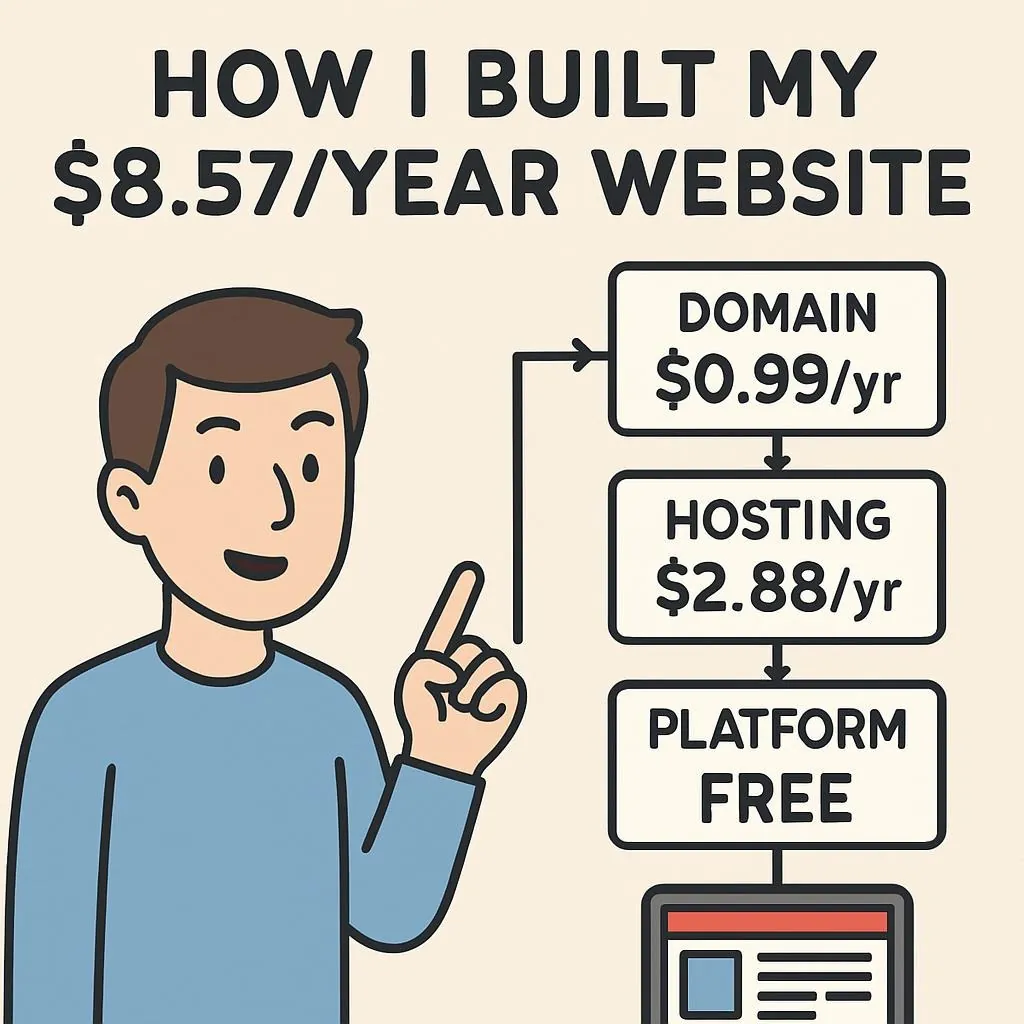

Static sites on Cloudflare Pages regularly score 100/100 on PageSpeed — and cost less than a cup of coffee per month. Here’s exactly how to do it, with real numbers and zero bullshit upsells.
Yes, you can. The $10.46/year stack: Cloudflare domain ($10.46) + Cloudflare Pages (free) + Hugo (free). Sub-1-second load times. 100/100 PageSpeed. The catch? You need basic HTML/Git skills. No-code? Hostinger’s AI builder at $2–3/mo is your path.
Three years ago a client called me at 11pm, furious. His “premium” shared hosting plan — $19.99/month — had just served his portfolio site with a 4.2-second load time on a speed test. Meanwhile, a freelancer friend running Hugo on Cloudflare Pages was hitting 0.6 seconds and paying ten dollars a year. That call changed how I think about web hosting costs.
The gap between cheap and fast collapsed around 2022. CDN infrastructure that Fortune 500 companies use is now free for static sites. The question isn’t whether you can build a fast website cheaply — you absolutely can. The question is which path fits your actual skill level.
Choose Your Path First
Don’t skip this. The “under $10/year” thing is real — but only on the developer path. The beginner path costs a bit more. Both are legitimately cheap. Both are fast. Pick based on what you’ll actually do, not what you wish you’d do.
- Drag-and-drop editor
- AI builds your site
- Up in under 30 minutes
- Best tool: Hostinger or Wix free
- Static site generator
- 100/100 PageSpeed typical
- Maximum control
- Best stack: Hugo + Cloudflare
Calculate Your Stack
Genuinely unsure which one you are? If “git commit” means nothing to you, go beginner. You can always switch later — migrating content from a builder to a static site is annoying but doable.
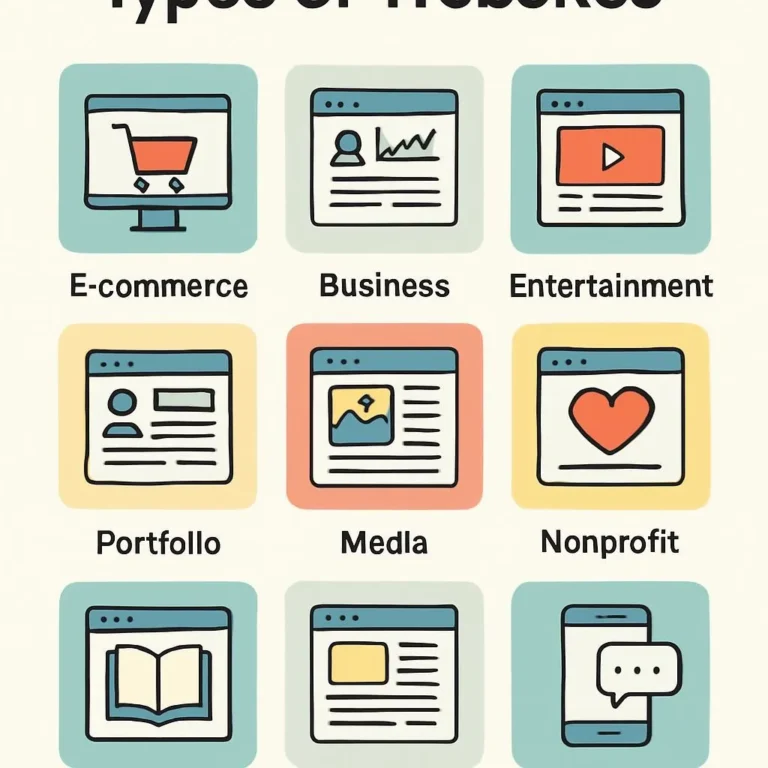
What Can You Actually Build This Way?
Here’s the honest version. Not everything fits the static-site model, and some projects will hit a wall the minute they need user accounts or payment processing.
| Project Type | Verdict | Notes | ⚠ Real Limitation |
|---|---|---|---|
| Blog / Personal Site | ✅ Perfect | Markdown content, zero hosting cost | Dynamic comments require Disqus or similar 3rd-party embed |
| Portfolio / Resume | ✅ Perfect | No backend needed | Image-heavy portfolios need explicit WebP compression or you’ll tank your score |
| Small Business (5–8 pages) | ✅ Works well | Netlify Forms handles contact | Netlify Forms free tier caps at 100 submissions/month — enough for most, not all |
| Documentation Site | ✅ Ideal | Hugo, Docusaurus, MkDocs all built for this | Full-text search requires Pagefind setup; not automatic |
| Product Display (no checkout) | ⚠️ Partial | Display works; payment needs Stripe or Shopify Starter ($5/mo) | Accepting any money adds real complexity and monthly cost — budget accordingly |
| Full E-commerce | ❌ Wrong tool | Inventory + checkout requires Shopify ($29/mo) or WooCommerce | Trying to hack this with static sites wastes weeks; just use the right platform |
| Web App / Login Required | ❌ Different approach | User auth requires backend or Netlify Identity | Possible with serverless, but architecture is fundamentally different — read our serverless guide |
The Real Cost Breakdown — Including the Catches
I’m going to do something most hosting guides don’t: show you the renewal price, not just the intro price. Registrar pricing is basically a bait-and-switch industry. Domain you buy for $0.99 in year one? That’s $20+ at renewal with some registrars. No surprises here.
Developer Path — $10.46/Year Stack
| Tier | Annual Cost | What You Get | Best For | ⚠ Hidden Cost |
|---|---|---|---|---|
| Developer Stack | $10.46 | Custom domain + free Cloudflare hosting + SSL + unlimited bandwidth | Developers, maximum performance | Time investment: ~2–4 hours initial setup. Git knowledge required. |
| Budget Builder | $24–$36 | Hostinger (48-mo term) + free domain year 1 + AI tools + 150 templates | Beginners, quick launch | Renewal jumps to ~$132/year after intro period ends. Free domain is year 1 only. |
| Free Tier | $0 | Wix free plan or GitHub Pages — subdomain, no ads on GH Pages | Testing, students, hobby projects | Wix free plan shows Wix ads and branding. yourname.wixsite.com, not yourname.com. |
🔰 Beginner Path: Hostinger AI Builder
Start here if you’ve never built a website, don’t want to touch a terminal, and need something live within the hour. Hostinger’s AI builder is different from Wix or Squarespace in one meaningful way: you don’t pick a template. You describe your business in one prompt and the AI generates a complete site — pages, layout, placeholder content, images — in about 60 seconds.
“Per WebsiteBuilderExpert testing (January 2026), Hostinger recorded the fastest loading speed of all builders tested — competitive with hand-coded static sites on most connections.”
Editorial synthesis — sources: WebsiteBuilderExpert Hostinger Review (Jan 2026), FreakinNomads (Jan 2026)
Sign up & start the free trial
7-day free trial, no credit card. For the lowest long-term price: 48-month plan at $1.99–2.99/month. Yes, you’re locking in for four years. That’s how they get the price that low. For most people it’s fine — but don’t do it for an experiment project.
Write your AI prompt — one sentence
Hostinger asks one question: describe your project. Include your business type, niche, and desired aesthetic. Example: “Create a professional site for my freelance photography business. Modern, dark theme. Portfolio gallery, booking form, about page.” The more specific, the better the starting point.
AI generates your site (~60 seconds)
You get a full sitemap, page layouts, placeholder copy tailored to your industry, royalty-free images, color scheme, and a basic logo if your brand name is under 20 characters. It’s not perfect but it’s a real starting point — not a blank template.
Customize with drag-and-drop
The editor combines Squarespace’s structured feel with Wix’s flexibility. Additional AI tools available: AI Logo Maker (free as of September 2025), AI Writer for headlines, AI SEO Tips for meta titles, AI Heatmap to predict where users look.
Publish
Free domain included year one (on 12+ month plans). SSL automatic. Deployed on Hostinger’s LiteSpeed servers. Total time from signup to live: 15–30 minutes.
⚡ Developer Path: Hugo + Cloudflare Pages
Basic HTML/CSS knowledge. Comfortable opening a terminal. That’s all you need. The setup takes about 30 minutes the first time, then it’s automated for every future update.
Why Hugo specifically? Build speed. Hugo renders 1,000 pages in approximately 2.1 seconds — compared to 45 seconds for Eleventy and 120 seconds for Jekyll, per MarkAICode’s May 2025 benchmark. Tier 2 — benchmark methodology: single machine, comparable content types, documented in linked source For small sites the difference is irrelevant. For documentation sites or large blogs, it matters.
| Generator | Build Speed (1,000 pages) | Language | Best For | ⚠ Trade-off |
|---|---|---|---|---|
| Hugo | ~2.1 seconds | Go | Large blogs, documentation | Templating syntax has a steep learning curve; config errors are cryptic |
| Astro | ~15 seconds | JavaScript | Modern frameworks, partial hydration | Node.js ecosystem; heavier dependency tree than Hugo |
| Eleventy (11ty) | ~45 seconds | JavaScript | Maximum flexibility | No opinions on structure — that’s a feature and a curse; requires more decisions upfront |
| Jekyll | ~120 seconds | Ruby | GitHub Pages (native support) | Slowest build. Ruby dependency management is a hassle on newer macOS systems. |
Setup: Hugo + Cloudflare Pages (30 minutes)
Prefer to watch it done? This walkthrough covers the Cloudflare Pages side of the setup (connecting a Git repo, build settings, custom domain) — pair it with the Hugo-specific commands in the steps below. Source: YouTube, 2026.
Install Hugo
# macOSbrew install hugo# Windows (via Chocolatey)choco install hugo-extendedCreate site and add a theme
hugo new site mysite && cd mysitegit initgit submodule add https://github.com/theNewDynamic/gohugo-theme-ananke themes/anankeecho "theme = 'ananke'" >> hugo.tomlDeploy to Cloudflare Pages
Push to a GitHub repository. Then: Cloudflare Dashboard → Workers & Pages → Create → Pages → Connect GitHub → Build command: hugo --minify → Output directory: public. That’s it. First deploy takes about 2 minutes.
Add your custom domain
Register at Cloudflare Registrar ($10.46 for .com). Add to your Pages project. DNS auto-configures. HTTPS in minutes, no extra setup.
Skip the blank-file setup — starter configs, ready to go
Five files that cover the config most people get wrong on the first try: caching headers, redirects, a pinned Hugo version, and an optional CI workflow for when you outgrow Cloudflare’s default build.
- hugo.toml — base config, Hugo version pinned
- _headers — security headers + long-cache rules for CSS/JS/images
- _redirects — URL redirect syntax Cloudflare Pages reads natively
- deploy.yml — optional GitHub Actions build (skip this if Cloudflare’s built-in Git build works for you)
- contact-form.html — code-free Netlify Forms snippet
Why static sites win on speed — the actual mechanism
Hugo pre-renders every page at build time. When a visitor hits your site, Cloudflare’s CDN serves cached HTML from a server physically close to them. No database query. No PHP execution. No server-side rendering. The round-trip is just: request → CDN edge node → cached file → response. That’s why static sites on modern CDNs hit 0.5–0.8 second LCP scores while shared WordPress hosting averages 2.5–4.0 seconds. The gap isn’t optimization — it’s architecture.
Real Performance Numbers
I’m not going to quote vendor benchmarks here. Here are documented results from published independent tests.
Figures reflect the industry-average shared-hosting numbers and the documented Hugo/Cloudflare Pages results cited below (TechLife Blog, Nov 2025; Kibby Blog, Feb 2025). Your own scores depend on image weight, theme bloat, and third-party scripts — the platform sets the ceiling, it doesn’t guarantee the score.
TechLife Blog, Nov 2025
Kibby Blog, Feb 2025
Industry average
Industry average
Google’s current thresholds (per Google Developers documentation, December 2025): LCP ≤ 2.5s (aim for <1.5s), INP ≤ 200ms, CLS ≤ 0.1. Static sites on Cloudflare or Vercel typically hit all three without additional optimization. Traditional shared WordPress hosting typically fails LCP. The correlation between static site architecture and Core Web Vitals pass rates isn’t coincidental — it’s structural. See the CodeTalentHub performance optimization guide for deeper analysis.
Five Myths That Keep People Overpaying
Cloudflare, Vercel, and Netlify free tiers run on the same enterprise CDN infrastructure as their paid plans. The “free” label refers to cost, not capability. These platforms make money on paid tiers for teams and enterprises — they subsidize free hosting as a growth strategy. Uptime is 99.9%+ with documented SLAs.
Google’s crawler indexes HTML. It doesn’t care whether a PHP server or Hugo generated it. Static sites rank identically with correct meta tags, structured data, and a sitemap. The WordPress SEO plugins (Yoast, Rank Math) manage those fields — you can do the same in Hugo’s config or frontmatter. What WordPress gives you is a GUI for it. That’s the whole difference.
Netlify Forms handles serverless form submission for free up to 100/month. Pagefind adds full-text search with zero backend. Disqus or giscus handle comments. Stripe.js handles payments without a server. You’re not building static — you’re building server-optional. There’s a difference.
Visitors see your domain name. They don’t see your registrar invoice. A $10.46/year Cloudflare domain resolves identically to one bought through GoDaddy at $20+/year renewal. The domain suffix matters more than where you bought it — and .com is still .com regardless of registrar.
Hostinger’s AI builder achieves load times competitive with hand-coded sites on most connections, per independent WebsiteBuilderExpert testing (January 2026). The builder uses LiteSpeed servers and CDN delivery. You’re not sacrificing speed for convenience — at least not meaningfully on the beginner tools that have caught up.
When NOT to Use This Stack
Everything above is a genuine recommendation, not a sales pitch — which means it comes with an honest list of where it stops making sense. I’d rather you find out here than three weeks into a rebuild.
You’re running real inventory and checkout
Static sites can display products beautifully, but stock levels, tax logic, and payment processing need a real backend. Instead: Shopify Starter ($5/mo) or WooCommerce on managed WordPress hosting.
Multiple non-technical people need to edit content daily
A Markdown-and-Git workflow is fine for one or two comfortable contributors. It falls apart with a five-person marketing team that needs a visual editor and no merge conflicts. Instead: a headless CMS front end (Netlify CMS, Sanity) or just stay on WordPress.
You need logins, roles, or gated content
User accounts and permissioned content require a real backend or a service layered on top (Netlify Identity, Clerk, Auth0). It’s possible with a static front end, but it’s a different architecture than what this guide covers. Instead: budget for a proper auth service before you start.
The page needs to change per visitor, in real time
Live dashboards, personalized pricing, or A/B tests that swap content server-side don’t fit the “pre-render once, serve everywhere” model that makes static sites fast. Instead: a server-rendered framework (Next.js on Vercel, for example) or edge functions layered onto the static base.
You need it live today and don’t want to touch a terminal
The developer stack’s real cost isn’t money, it’s the 30-minute learning curve if you’ve never used Git. If that’s a genuine blocker this week, the beginner path exists for exactly this reason — don’t force the cheaper stack onto a deadline it doesn’t fit.
Launch Is 20% of the Work. Here’s the 80%.
Fast site. Nobody visits it. Worthless. This part is what most hosting guides skip because it’s hard and slow and requires consistency over months, not a clever configuration trick.
“SEO takes 3–6 months for meaningful results. That’s not a hedge — it’s how Google’s indexing pipeline actually works. Publish consistently. Be patient. The compound effect is real.”
Editorial synthesis — sources: Elementor (Jan 2026), OptiMonk (Nov 2025)
| Strategy | Time to Results | Effort | How to Start | ⚠ What Usually Goes Wrong |
|---|---|---|---|---|
| On-Page SEO | 3–6 months | Medium | Optimize titles, meta descriptions, H1s for one target keyword per page | Targeting keywords that are too competitive for a new site. Start narrow. |
| Google Business Profile | 1–2 weeks | Low | Claim profile, add site link, upload photos, ask for reviews | Leaving the profile incomplete. Google ranks complete profiles significantly higher in local search. |
| Content Marketing | 3–6 months | High | Publish 1–2 posts/week answering specific questions your audience actually searches | Writing about what you want to say, not what people are searching for. Use Google Search Console to find real queries. |
| Email List | Ongoing | Low–Medium | Add signup form, offer lead magnet, send weekly value (Mailchimp free up to 500 contacts) | Waiting until the site is “good enough” to start collecting emails. Start on day one. |
What This Means For You Specifically
Stop paying for hosting you don’t need
Look, here’s what this actually is: a permanent competitive advantage in your cost structure. While clients are paying $20–50/month for shared WordPress hosting that loads in 3+ seconds, you can run a faster site for $10.46/year flat. That gap compounds over time — and it’s the kind of thing you can put in a pitch: “My portfolio scores 100/100 PageSpeed.” Most developers’ portfolios don’t.
What you do: Register your domain at Cloudflare today ($10.46, at-cost, no games at renewal). Set up Hugo with the Ananke theme or PaperMod — either deploys to Cloudflare Pages in under 30 minutes. Run PageSpeed Insights before and after. Screenshot the 100/100 and put it in your next client proposal.
Here’s what’s going to stop you: Hugo’s Go templating syntax. It’s not intuitive if you’re coming from Liquid or Jinja. The fix: don’t fight the conventions. Use an existing theme for the first version. Customize later. The architecture matters more than the theme.
Stop doing this: Don’t run your portfolio on shared WordPress hosting because “it’s easier to update.” That’s inertia talking. Netlify CMS and DecapCMS give you a GUI content editor for static sites — you lose nothing and gain 4x the performance.
The $20/month hosting bill is optional
The tradeoff you’re actually making with expensive shared hosting isn’t “better site” — it’s “less setup friction.” That’s a real tradeoff. But the friction only happens once. Once Hostinger or Wix is configured, it runs. And at $2–3/month versus $20/month, you’re paying $200+ extra per year for convenience you stopped needing after month one.
What you do: If you’re currently on Squarespace at $16/month or GoDaddy at $10/month — calculate your two-year cost. Compare it to Hostinger at $2.99/month (48-month term). The math is unambiguous. Migrate during a slow month, not a busy one.
Here’s what’s going to stop you: The 48-month commitment on Hostinger’s cheapest tier. That’s a real concern. If you’re not confident in the project’s longevity, start with a 12-month plan at slightly higher monthly cost. The savings are smaller but the commitment is manageable.
Stop doing this: Don’t pay a web developer $500+ to “optimize” a website on shared $20/month hosting. The platform is the bottleneck, not the code. Fix the platform first. See our guide on common website performance mistakes before spending on optimization services.
When to Upgrade Beyond $10/Year
The free/cheap stack handles most projects genuinely well. But there are real limits. Here’s when the economics change:
- E-commerce with payments: Shopify Starter at $5/month is the minimum viable option. Stripe integration into a static site is possible but requires serverless function expertise — budget accordingly for development time.
- User accounts or membership: Netlify Identity works for simple cases. Anything with roles, permissions, or payment-gated content needs a real backend. Budget $20–40/month minimum.
- Traffic over 100 GB/month: Cloudflare Pages free tier is technically unlimited bandwidth — but verify this for your specific use case at scale. Netlify and Vercel cap free tiers at 100 GB. Check before you hit the wall.
- Team collaboration: All three platforms (Cloudflare, Netlify, Vercel) have paid team tiers with multiple seats and branch preview deployments. Worth it the moment you have two people committing to the same repo.
- Email marketing beyond free tiers: Mailchimp free caps at 500 contacts. ConvertKit free caps at 1,000. Either upgrade or migrate before you hit the ceiling — migrating email lists is annoying.
FAQ
Can I actually build a complete website for $10.46/year?
Is free hosting actually reliable enough for a real business?
How fast can a $10 website actually load?
Which domain registrar has the best renewal prices?
Do I need a custom domain, or will a subdomain work?
How do I add a contact form without a backend?
How long until my site appears in Google search results?
Where This Leaves You
The infrastructure gap between “cheap” and “fast” genuinely closed around 2022. What Cloudflare, Vercel, and Netlify did to the CDN market — commoditizing enterprise-grade infrastructure and giving it away free for static sites — changed the actual math of web hosting. The $20/month shared hosting plan isn’t buying you speed or reliability. It’s buying you familiarity and a GUI.
That’s worth something. But it’s worth knowing what you’re paying for.
Developers: $10.46/year. Set it up once. Move on.
Everyone else: Hostinger at $2–3/month, or Wix free to start. Neither requires a developer. Both are fast enough. Both let you move.
The site that doesn’t exist yet is slower than anything on this list. Start somewhere.
Sources & References
- WebsiteBuilderExpert — “Cheapest Website Builders 2026” — January 2026
- Cloudflare Registrar Pricing — verified January 2026
- Tech.co — “Hostinger vs Wix 2026” — December 2025
- Google Core Web Vitals Documentation — December 2025
- MarkAICode — “11ty vs Hugo Speed Comparison” — May 2025
- CloudCannon — “Top SSGs for 2025”
- Cloudflare Pages Documentation
- DomainDetails — “Cheapest Domain Registrars” — January 2025
- Elementor — “Free Website Promotion 2026” — January 2026
- OptiMonk — “Website Promotion Strategies 2026” — November 2025
- Tooltester — “Cheapest Website Builder 2026” — November 2025
- SiteBuilderReport — “20+ Builders Ranked by Pricing” — December 2025
- TechLife Blog — “Hugo Static Site on Cloudflare” — November 2025
- Kibby Blog — “Deploy Hugo with Cloudflare Pages” — February 2025
- WebsiteBuilderExpert — “Hostinger Website Builder Review” — January 2026
- FreakinNomads — “Hostinger AI Website Builder Review 2026” — January 2026
- How to Deploy a Website Using Cloudflare Pages (2026) — YouTube tutorial, 2026